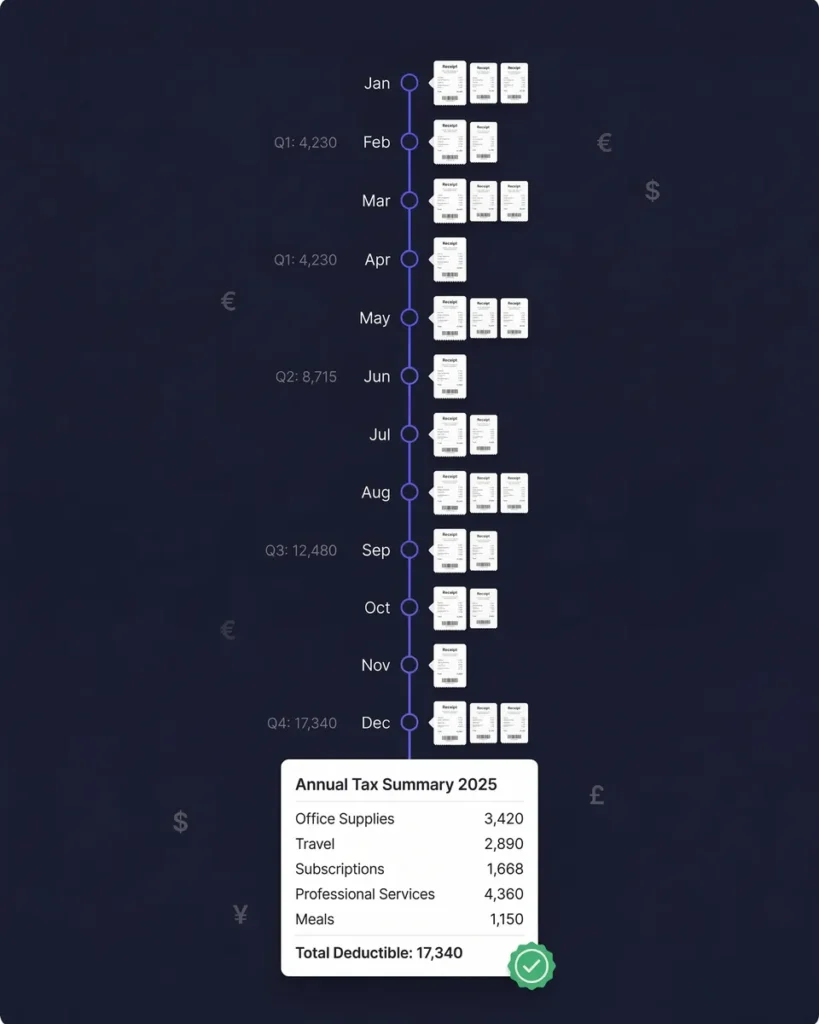
Fetch Email Receipts Automatically
Your Email Receipts, Found and Organized Automatically
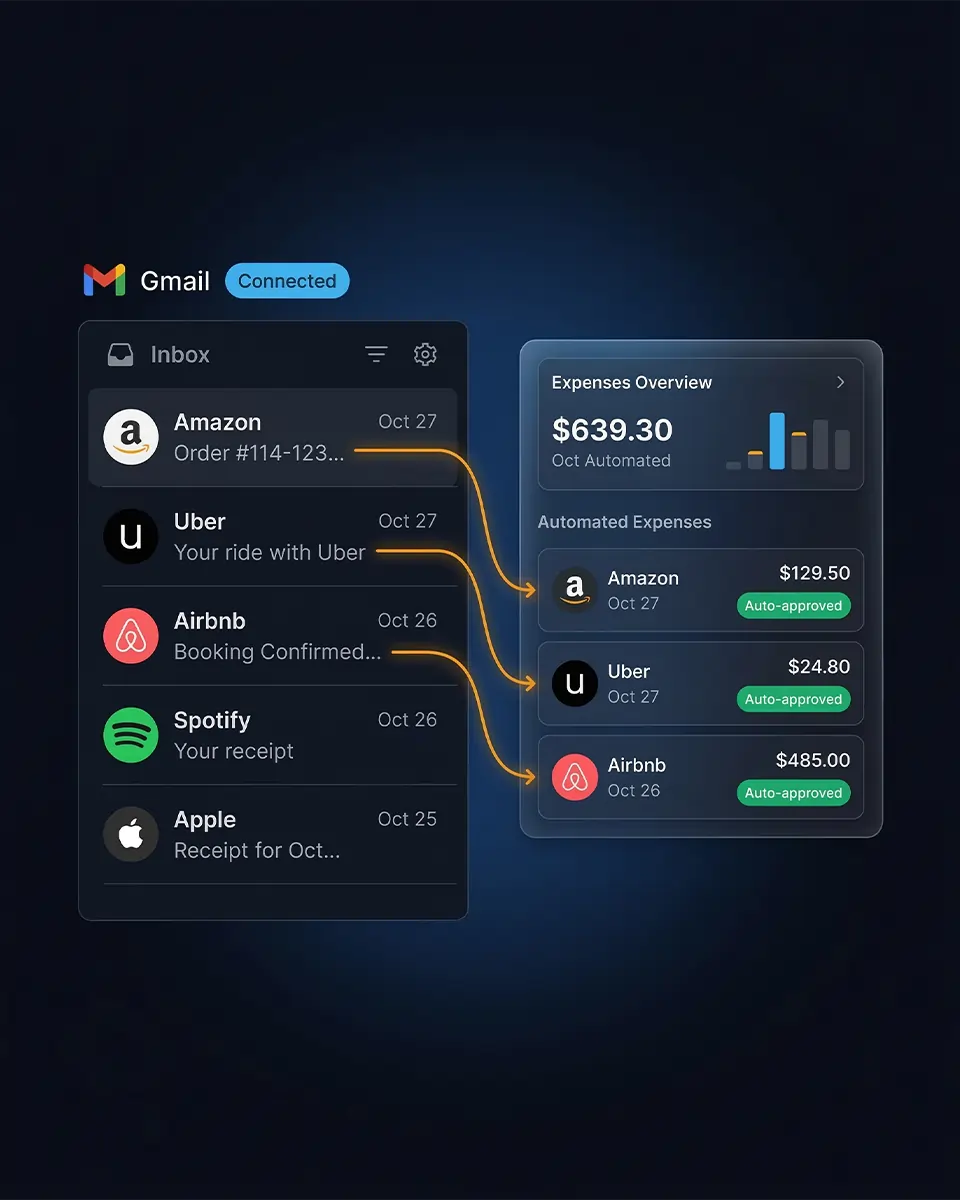
Connect your Gmail or IMAP inbox and SparkReceipt automatically finds every receipt and invoice as it lands. AI extracts the vendor, amount, date, tax, and currency - then categorizes everything for you.





Two Ways To Handle Email Receipts
See the difference automatic email scanning makes
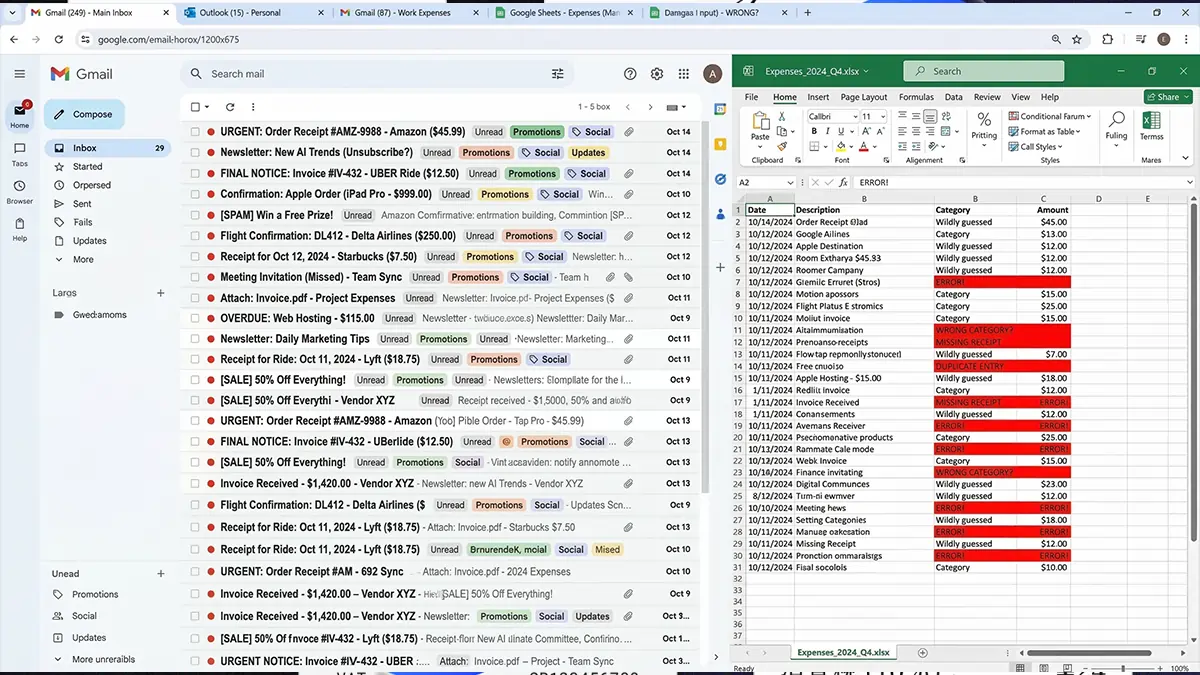
Without SparkReceipt
- Receipts buried across multiple email accounts
- Manually copying amounts into spreadsheets one by one
- Missing tax deductions because receipts get lost in your inbox
- Hours wasted searching for old receipts at tax time
- Your accountant receives a mess of forwarded emails
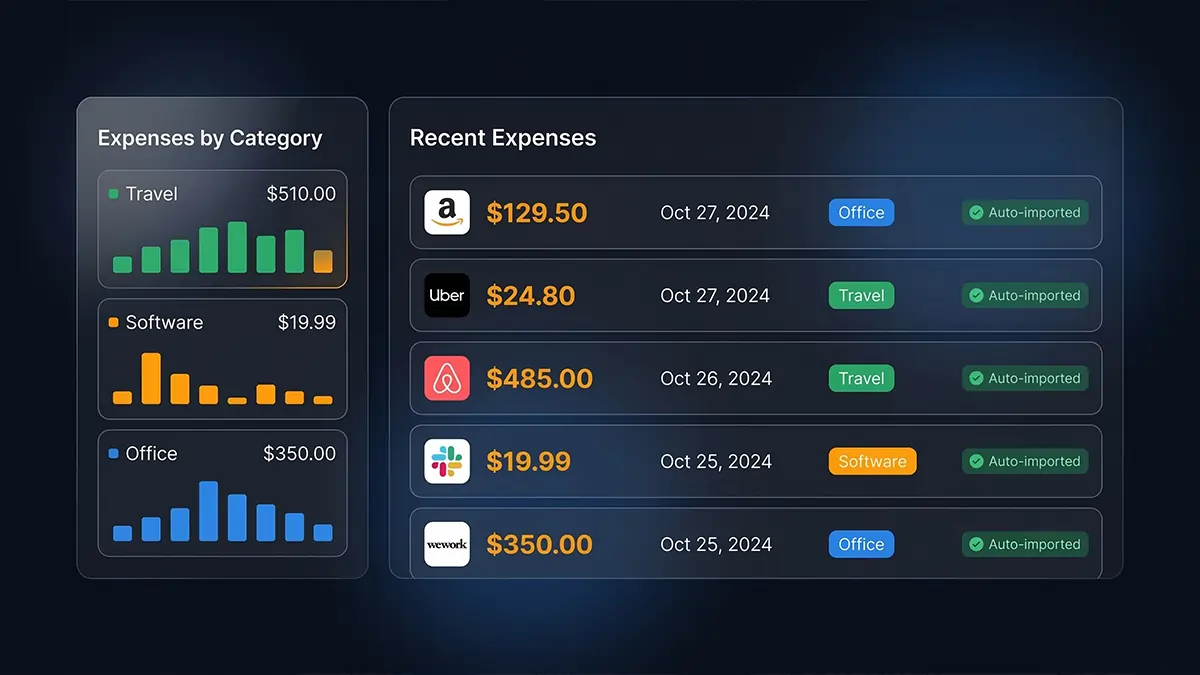
With SparkReceipt
- Receipts found automatically the moment they hit your inbox
- AI extracts vendor, amount, date, tax, and currency instantly
- Every expense categorized — every deduction accounted for
- One-click reports ready for tax season in seconds
- Your accountant gets clean, organized expense data for free
How Automatic Email Receipt Scanning Works
Connect once. Every receipt captured from that moment on.
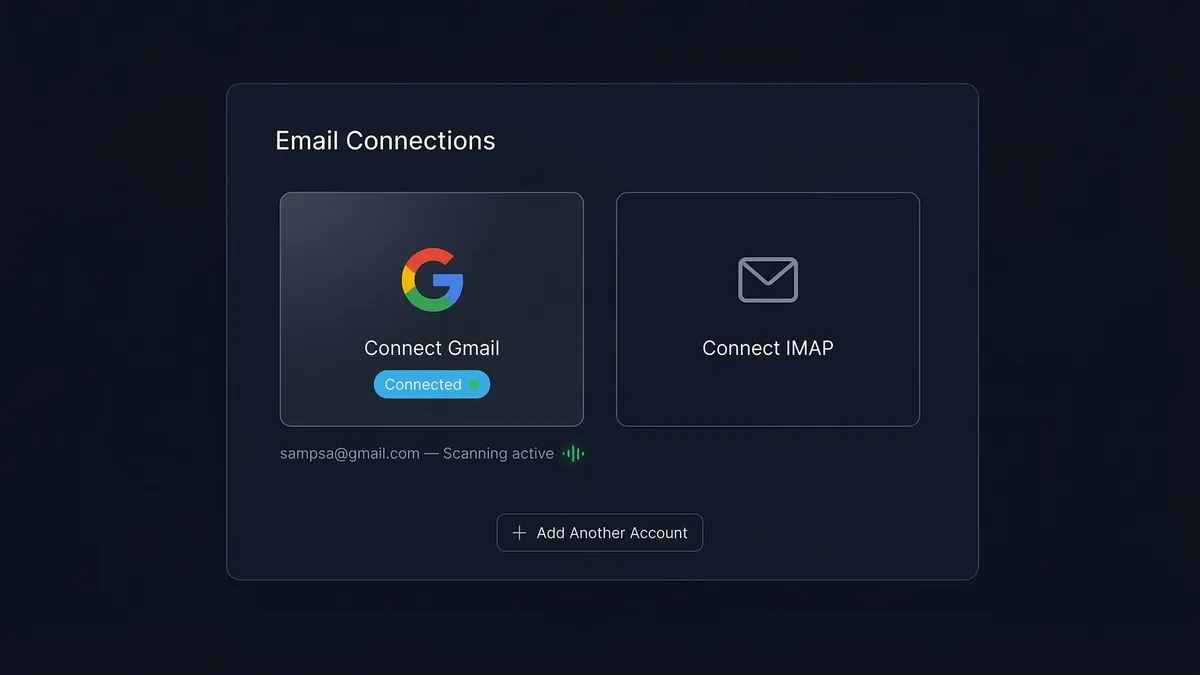
Connect Your Email Accounts
Link your Gmail or IMAP email accounts directly from your SparkReceipt settings. You can connect multiple email addresses — personal, business, or both.
Once connected, SparkReceipt automatically scans new emails as they arrive. Only emails containing receipts and invoices are imported. Everything else is ignored. Your existing emails are not touched — only new emails are processed from the moment you connect.
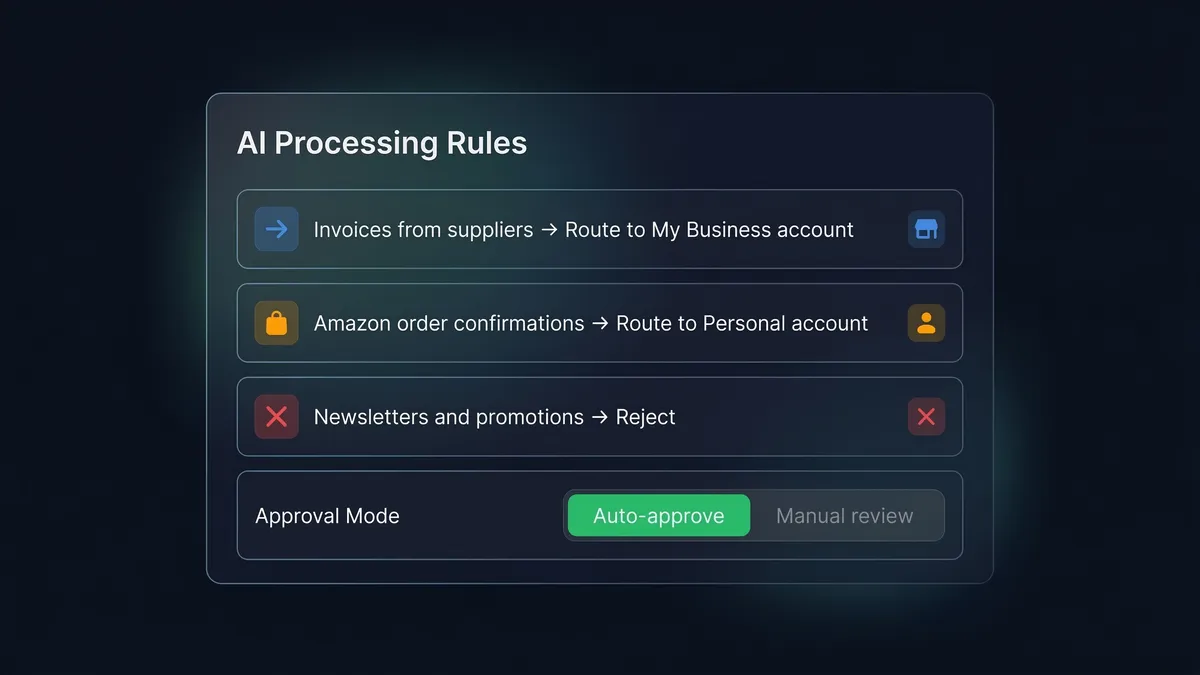
AI Finds Receipts and Routes Them Automatically
SparkReceipt’s AI reads each incoming email and classifies it — receipt, invoice, or not relevant. Non-receipts are discarded immediately.
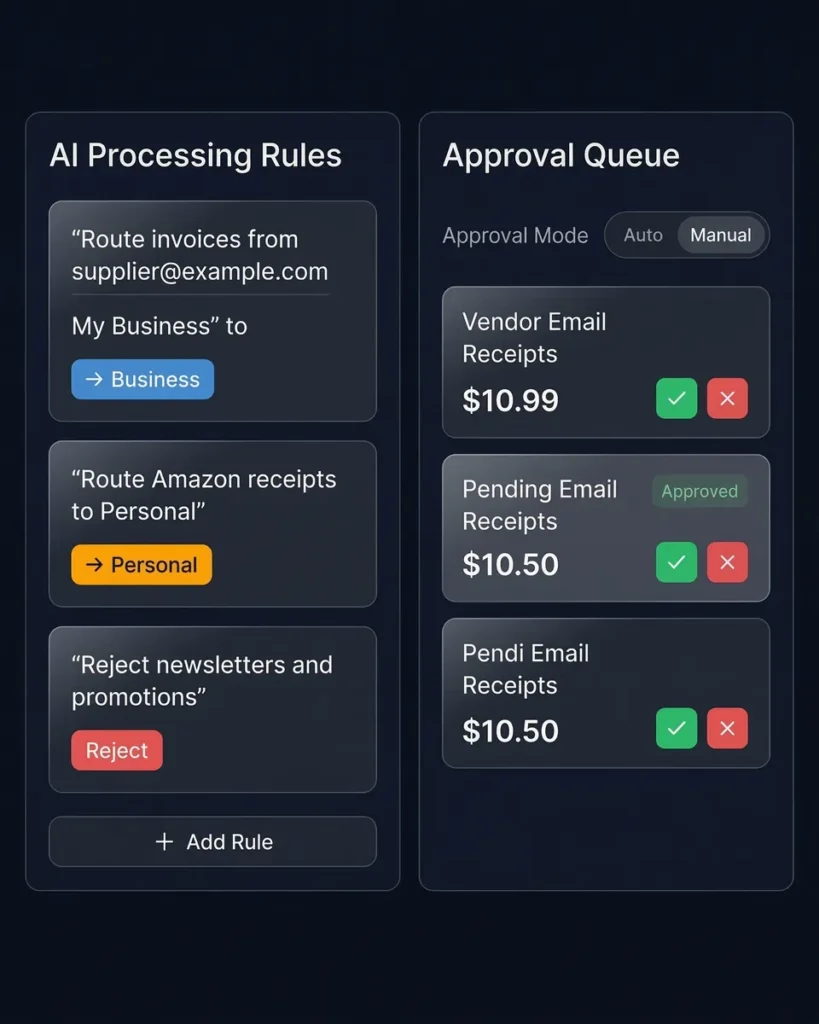
You control how receipts are handled with custom AI processing rules. Route invoices from specific senders to your business account. Send Amazon receipts to your personal account. Reject newsletters and promotional emails. The AI follows your instructions and gets smarter with your rules.
Choose automatic approval to process receipts hands-free, or enable manual approval to review each receipt before it’s added — perfect if you want to prevent misclassified personal emails from reaching a shared account.
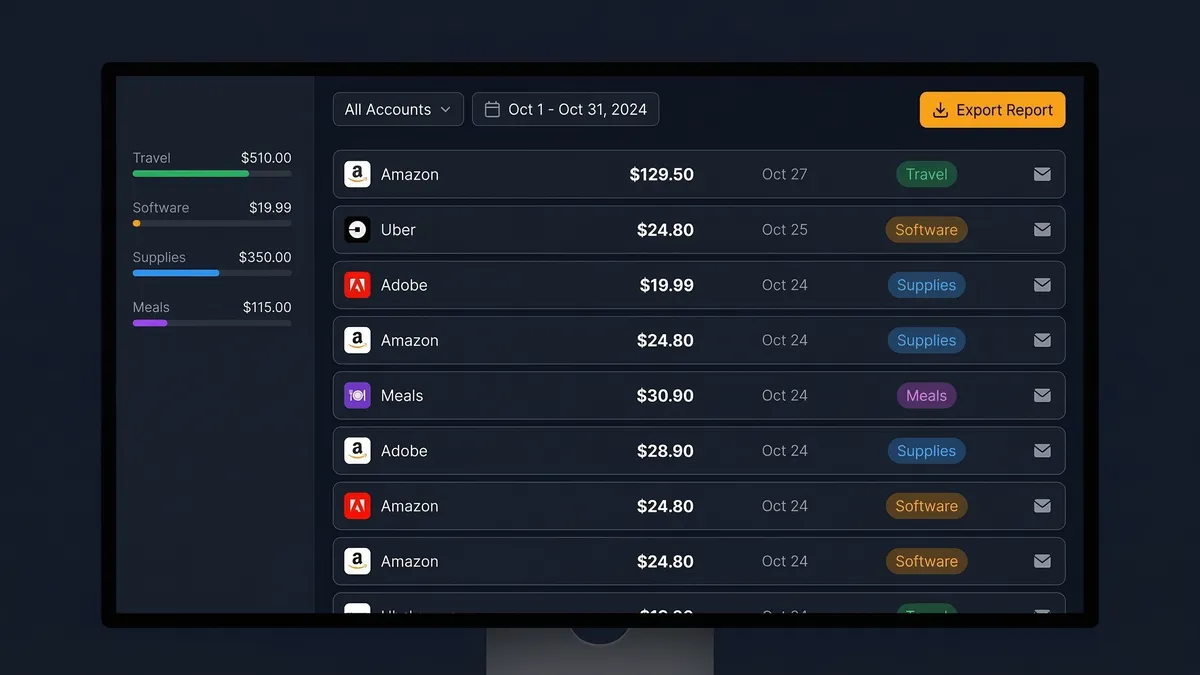
Extracted, Categorized, and Tax-Ready
Every approved receipt is processed by SparkReceipt’s AI, which extracts the vendor name, amount, date, tax breakdown, and currency. Receipts are categorized automatically by expense type.
Connected email sources are shared across all your linked accounts. Receipts are routed to specific accounts using your AI instructions — or assigned manually through the approval flow. When tax season arrives, generate a complete expense report in PDF or Excel with one click.
Zero Manual Effort
Connect your inbox and receipts import themselves
This is the easiest way to capture email receipts. Connect your Gmail or IMAP account and SparkReceipt does everything automatically:
- Scans every incoming email for receipts and invoices
- Extracts data instantly — vendor, amount, date, tax, currency
- Routes receipts to the right account based on your AI rules
- Ignores everything else — newsletters, promotions, and personal emails are discarded
- Processes only new emails — your existing inbox is never touched
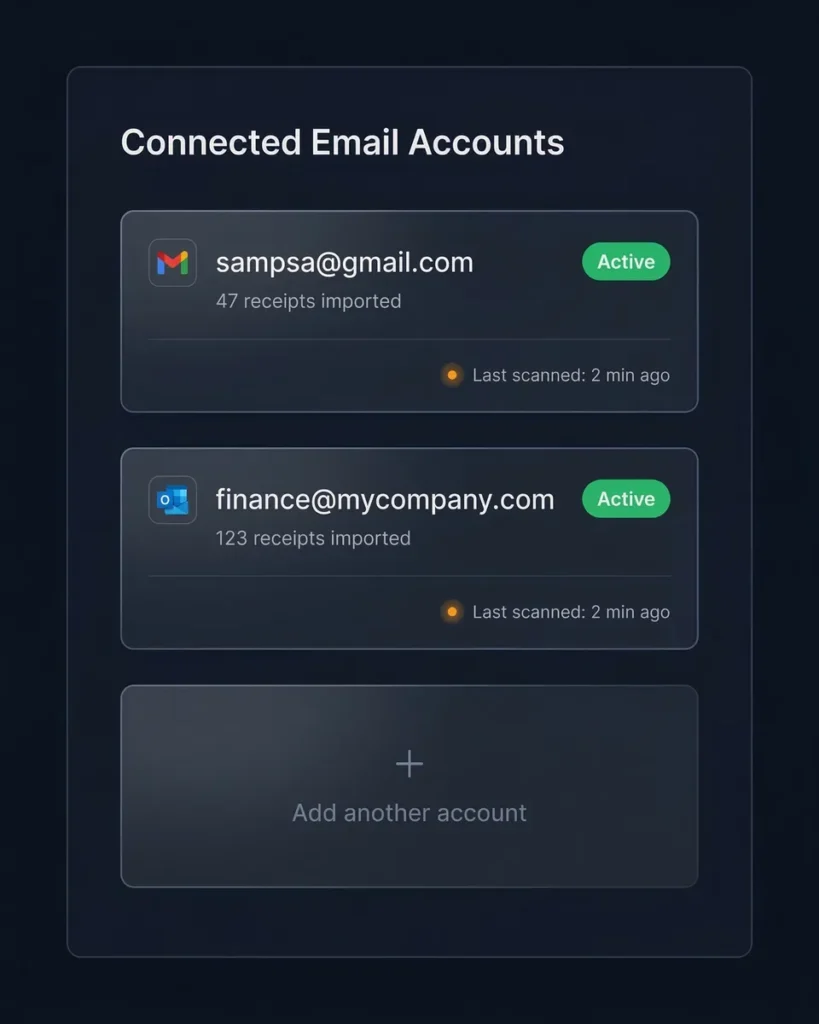
You can connect multiple email addresses and manage them all from one dashboard. Receipts from all connected accounts are shared across your linked SparkReceipt accounts and routed using your custom instructions.
Custom Rules and Approval Flows
You decide what gets processed and where it goes
Tell the AI exactly how to handle your emails. Write rules in plain language:
- “Route invoices from supplier@example.com to My Business”
- “Reject newsletters and promotional emails”
- “Route Amazon receipts to Personal account”
The AI follows your instructions when classifying and routing emails — so every receipt ends up in the right place.
Choose the level of control that works for you:
- Automatic approval — receipts are processed the moment they’re found. Fastest, zero manual work.
- Manual approval — review each receipt before it’s processed. Perfect for shared accounts where you want to prevent misclassified personal emails from being imported.
Your Email Data Stays Private
We read receipts, not your personal emails
We take email privacy seriously. Here’s exactly how SparkReceipt handles your email data:
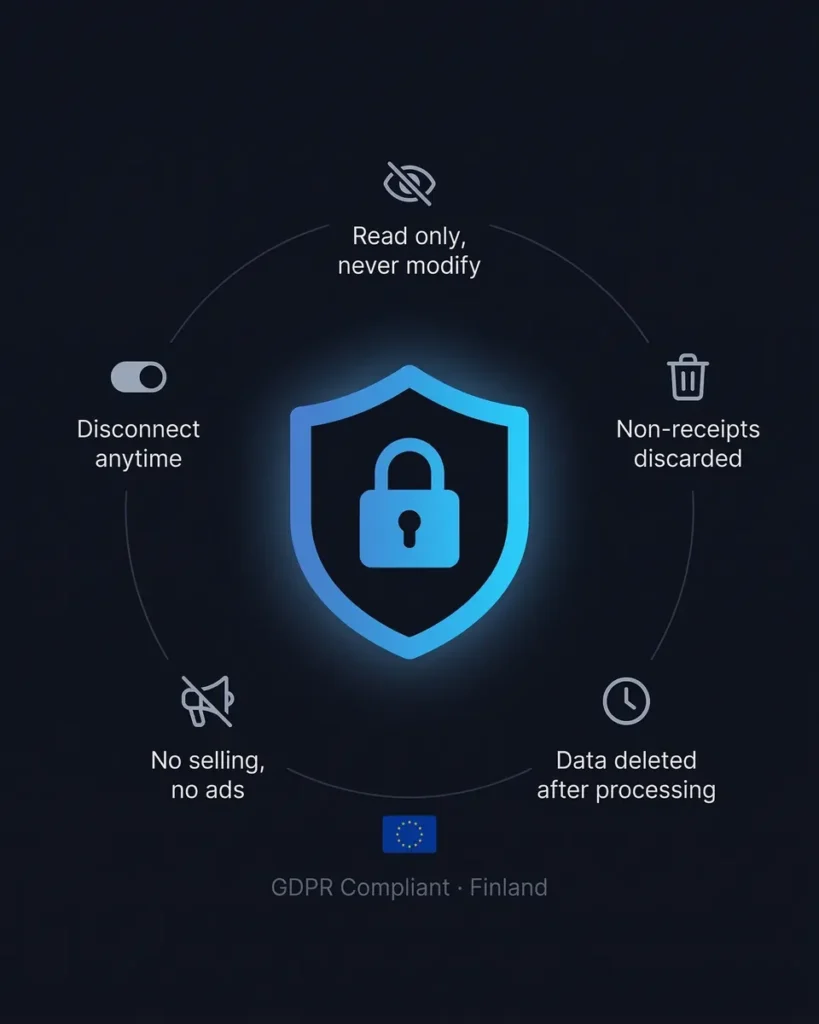
- We only read, never modify. SparkReceipt reads email content solely to detect receipts. We never send, modify, or delete any of your emails.
- Non-receipts are discarded immediately. Emails identified as non-receipts are discarded right after classification. Only the email ID and an anonymized digest may be kept for duplicate detection.
- Receipt data is temporary. Raw email content from receipts is deleted as soon as processing is complete — and no later than 30 days after ingestion.
- No selling, no ads, no training. Email data is used solely to provide receipt import functionality. We do not sell, share, or use your email data for advertising, unrelated analytics, or to train machine-learning models.
- Disconnect anytime. You can disable email integration at any time through your account settings.
SparkReceipt is an EU-based company (Finland), fully GDPR-compliant, with encrypted data storage and transmission.
Lock in Your Price for Life
We never raise prices for existing customers
Pro
For small businesses and freelancers
$0 / user / year · billed at $0/yr
- 50 Document Scans / mo
- 100 Consumable Credits / mo
- 20 Spark Messages / mo
- Multiple Users (pay per seat)
- Mass Upload Documents
- Unlimited Linked Sub-Accounts
- Automatic Email Receipt Fetching
- Line-item Categorization for Expenses
- AI Automations
No Credit Card Required
Elite
For growing teams and power users
$0 / user / year · billed at $0/yr
- ∞ Document Scans / mo
- 200 Consumable Credits / mo
- 100 Spark Messages / mo
- Multiple Users (pay per seat)
- Mass Upload Documents
- Unlimited Linked Sub-Accounts
- Automatic Email Receipt Fetching
- Line-item Categorization for Expenses
- AI Automations
No Credit Card Required
Losing Receipts Is Expensive
Losing just 5% of your receipts costs more than SparkReceipt.
Tip: Keep this conservative. Even a small loss adds up.
Frequently Asked Questions
How does automatic email receipt scanning work?
Connect your Gmail or IMAP email account from your SparkReceipt settings. Once connected, SparkReceipt automatically scans every new email that arrives in your inbox. Emails containing receipts and invoices are imported and processed by AI. Everything else — newsletters, personal emails, promotions — is discarded immediately. Only new emails are processed. Your existing inbox is never touched.
Can I connect multiple email accounts?
Yes. You can connect as many Gmail and IMAP email accounts as you need — personal, business, or both. Connected email sources are shared across all your linked SparkReceipt accounts. Use AI processing rules to route receipts from different email addresses to the right account automatically.
What's the difference between automatic scanning and email forwarding?
With automatic scanning, you connect your inbox and SparkReceipt finds receipts automatically — no action needed on your part. With email forwarding, you forward individual receipt emails (or set up auto-forwarding rules) to your dedicated SparkReceipt address.
Both methods work. Automatic scanning is best for hands-free, complete capture. Forwarding is best for selective capture or email providers that don’t support direct connection. You can use both at the same time.
Which email providers are supported?
SparkReceipt supports Gmail directly and any email provider that supports IMAP — including Outlook, iCloud Mail, Yahoo Mail, ProtonMail, and custom domain email. For providers that don’t support direct connection, you can use email forwarding instead.
Can I control which receipts get processed?
Yes. You have two levels of control:
AI Processing Rules — write plain-language instructions like “Route invoices from supplier@example.com to My Business” or “Reject newsletters and promotional emails.” The AI follows your rules when classifying and routing emails.
Approval Settings — choose automatic approval (receipts processed instantly) or manual approval (review each receipt before it’s added). Manual approval is ideal for shared accounts where you want to prevent misclassified personal emails from being imported.
Are email receipts valid for tax purposes?
Yes. Digital receipts are accepted by tax authorities worldwide, including the IRS (United States), CRA (Canada), ATO (Australia), and HMRC (United Kingdom). SparkReceipt keeps your email receipts organized, categorized, and export-ready — so you’re always prepared in case of an audit.
Consult a qualified tax professional for advice specific to your situation.
Is my email data safe with SparkReceipt?
Yes. SparkReceipt reads email content solely to detect receipts — we never modify, send, or delete any emails. Non-receipt emails are discarded immediately after classification. Raw email content from receipts is deleted as soon as processing is complete, and no later than 30 days.
We do not sell, share, or use email data for advertising, unrelated analytics, or to train machine-learning models. You can disable email integration at any time.
SparkReceipt is an EU-based company (Finland), fully GDPR-compliant, with encrypted data storage.
How much does email receipt tracking cost?
The feature is included in our Elite-plan, which costs $9.08 USD/month (billed annually at $109 USD per year).
Can my accountant access my email receipts?
Yes. SparkReceipt includes free guest access for accountants and bookkeepers. Invite your accountant and they can view, download, and manage your categorized expense data — without needing their own paid subscription. No more emailing spreadsheets or sharing messy folders.
Does SparkReceipt handle PDF attachments and embedded receipts?
Yes. SparkReceipt’s AI processes receipts embedded in the email body, attached as PDFs, and included as images (JPG, PNG). Whether a receipt arrives as an inline email, a PDF invoice, or a scanned image — data is extracted from all formats automatically.
Trusted By Freelancers and Small Businesses
From Over 80 Countries

Thanks to you, I’m actually looking forward to my year end FOR THE FIRST TIME EVER, when I can surprise my accountant with my completed accounts with a week or so off the end of the year!

The scan accuracy is the most precise out there. Just try it!

Excellent software to manage income and expenses, and have the relevant info at your fingertips at any given time.
Stop Losing Email Receipts. Start Saving on Taxes.
Connect your inbox in 2 minutes. Free to start.
Every email receipt you don’t track is a potential tax deduction you’ll never claim. Connect your Gmail or IMAP inbox and SparkReceipt finds, extracts, and categorizes every receipt automatically — so nothing falls through the cracks.
Join thousands of freelancers and small business owners who’ve made expense tracking effortless. Lifetime price lock included.