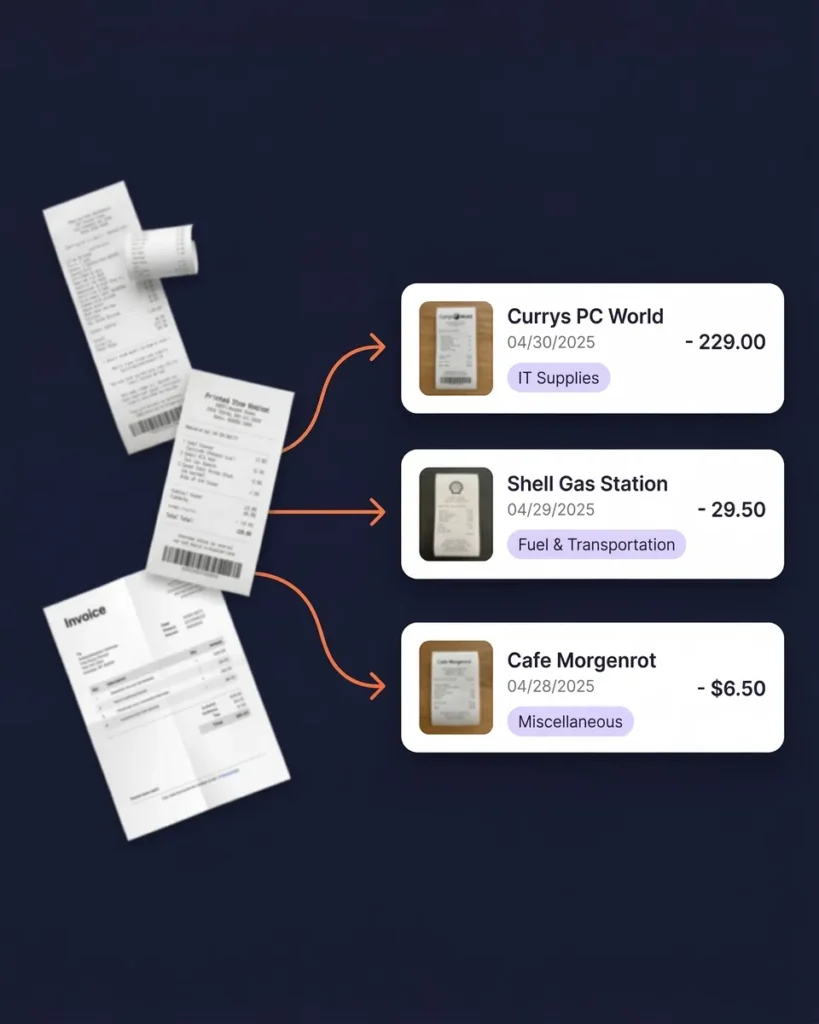
Export Your Receipts and Expenses — Any Format, Any Time
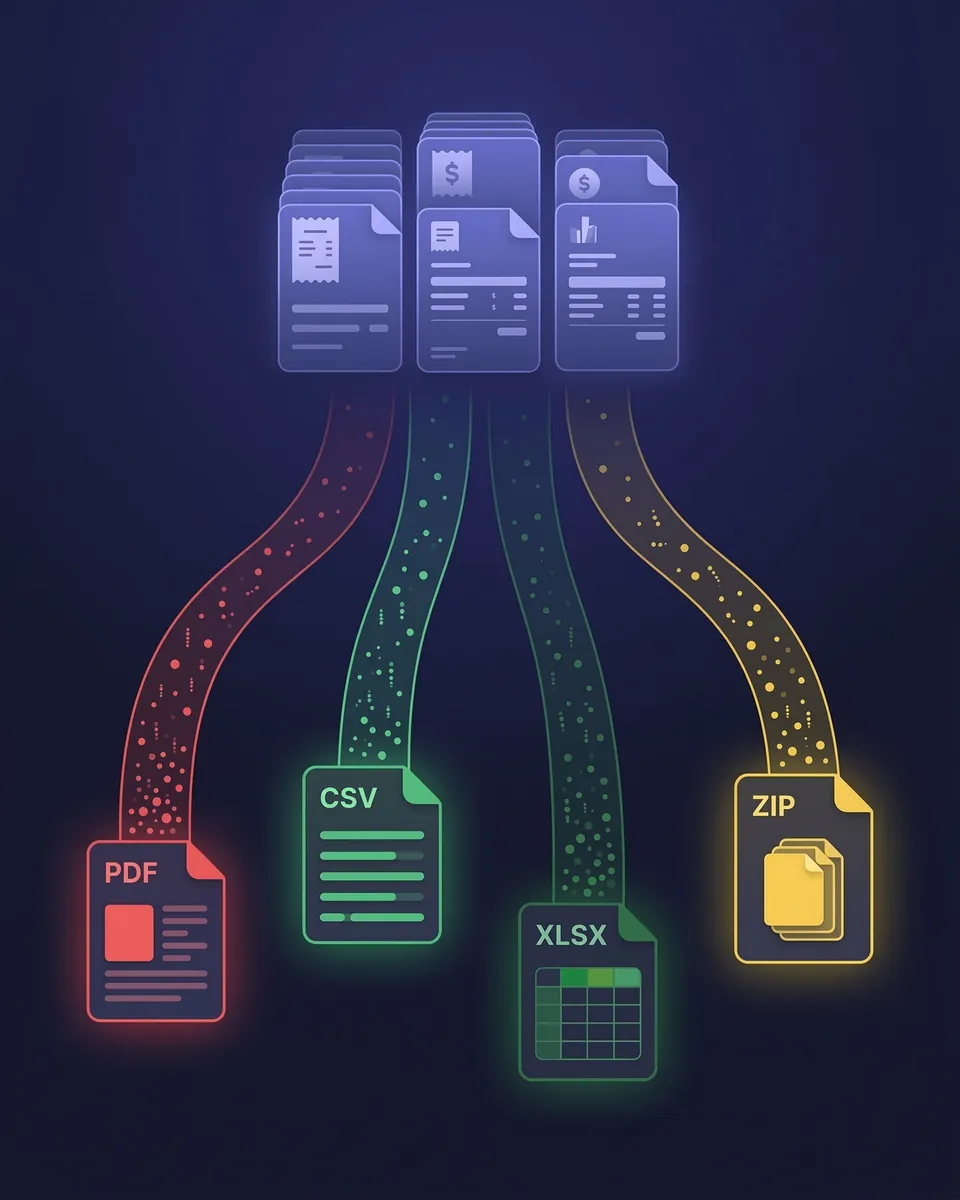
PDF, Excel, CSV, or ZIP — Your Data, Your Way
Your financial data should never be trapped inside a tool. SparkReceipt lets you export everything — receipts, invoices, expenses, income, and transaction data — in the format you need, filtered exactly how you want.





Data Exports Before and After SparkReceipt
See what changes when your data is always export-ready

Without SparkReceipt
- Manually copying receipt data into spreadsheets before you can share it
- Exports missing links to original receipts — just numbers with no proof
- No way to filter by date, category, currency, or document type
- Hours reformatting data before your accountant can use it
- Paying $20–80/month for tools that still require manual cleanup

With SparkReceipt
- One-click exports in PDF, Excel, CSV, or ZIP — ready in seconds
- Every row links directly to the original receipt or invoice image
- Filter by anything — date range, category, tag, currency, vendor, person
- AI-organized data your accountant can use immediately
- All of this from $6.58/month with a lifetime price lock
Choose the Format That Fits Your Workflow
Four export formats — each built for a different purpose.
Excel (.xlsx) — Full Financial Detail With Receipt Links
The Excel export is SparkReceipt’s most detailed format. Every row includes the vendor name, date, amount, subtotal, tax breakdown, tax rate, currency, expense category, and a direct clickable link to the original receipt or invoice image stored in your SparkReceipt archive.
Use it for deep analysis, pivot tables, custom reporting, or handing a complete expense file to your accountant. Filter before exporting to include only the documents, date ranges, or categories you need.
CSV — Lightweight and Universal for Any Tool
CSV exports give you clean, structured data that imports into virtually any software — accounting tools, databases, Google Sheets, custom scripts, or ERP systems. Same fields as Excel: vendor, date, amount, tax, currency, category, and receipt links.
Ideal for users who need to push SparkReceipt data into other tools or run custom workflows. The CSV format is also the simplest option for archiving transaction data long-term.
PDF — Professionally Formatted Visual Reports
PDF exports generate clean, print-ready expense reports with category breakdowns, tax summaries, and totals. Optionally include embedded receipt and invoice images directly in the document — creating a self-contained report your accountant or client can review without needing access to your account.
Use PDF exports for quarterly tax preparation, client billing documentation, expense reimbursement submissions, or compliance audits.
ZIP Archive — Download All Original Documents
The ZIP export downloads every original receipt and invoice file in one compressed archive. This is the format you want for full backups, audit preparation, migrating to another tool, or simply keeping a local copy of all your source documents.
Each file is named and organized by date, vendor, and category — so even outside of SparkReceipt, your documents stay organized and easy to find.
Export Exactly What You Need — Nothing More, Nothing Less
Full control over every export
SparkReceipt doesn’t just dump everything into a file. Before exporting, you control exactly what’s included. Filter by document type (expenses, income, or both), date range (any custom period, month, quarter, or year), expense category, tags, currency, vendor name, submitting user, or review status.
Need just Q1 software subscriptions in EUR? Three clicks. Need a full-year expense report across all categories for your accountant? One click. The same filters you use to browse your documents in the app are the same filters that shape your exports.
This level of control means your exports are always clean, relevant, and ready to use — no post-export cleanup required.
Every Number Links Back to Its Source Document
Complete traceability from export to original receipt
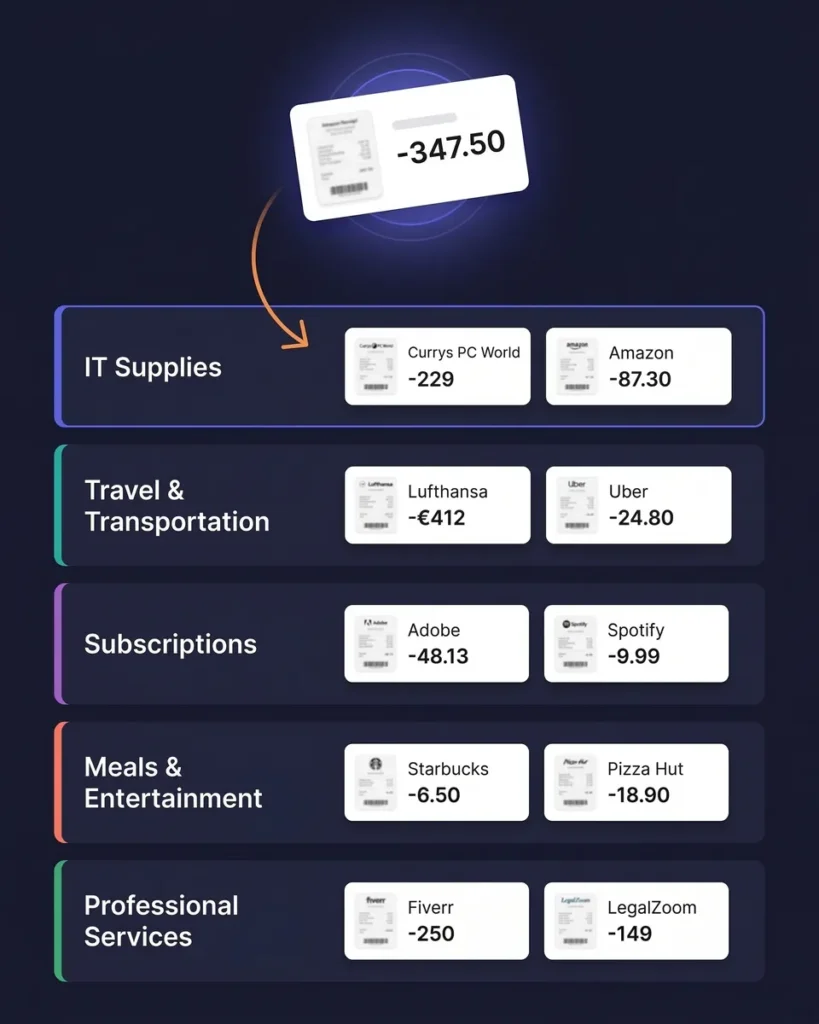
Most export tools give you a spreadsheet of numbers with no way to verify where each figure came from. SparkReceipt is different. Every row in your Excel and CSV exports includes a direct link to the original receipt or invoice image — one click and you’re looking at the source document.
This matters during audits, tax reviews, and accountant handoffs. When someone asks “where did this $347 charge come from?” you don’t dig through folders or email. You click the link. The receipt appears. Done.
Vendor names, dates, amounts, tax breakdowns, currency conversions, and AI-assigned categories are all preserved in every export — nothing is lost in the download.
AI-Organized Before You Even Hit Export
Clean data starts with clean input
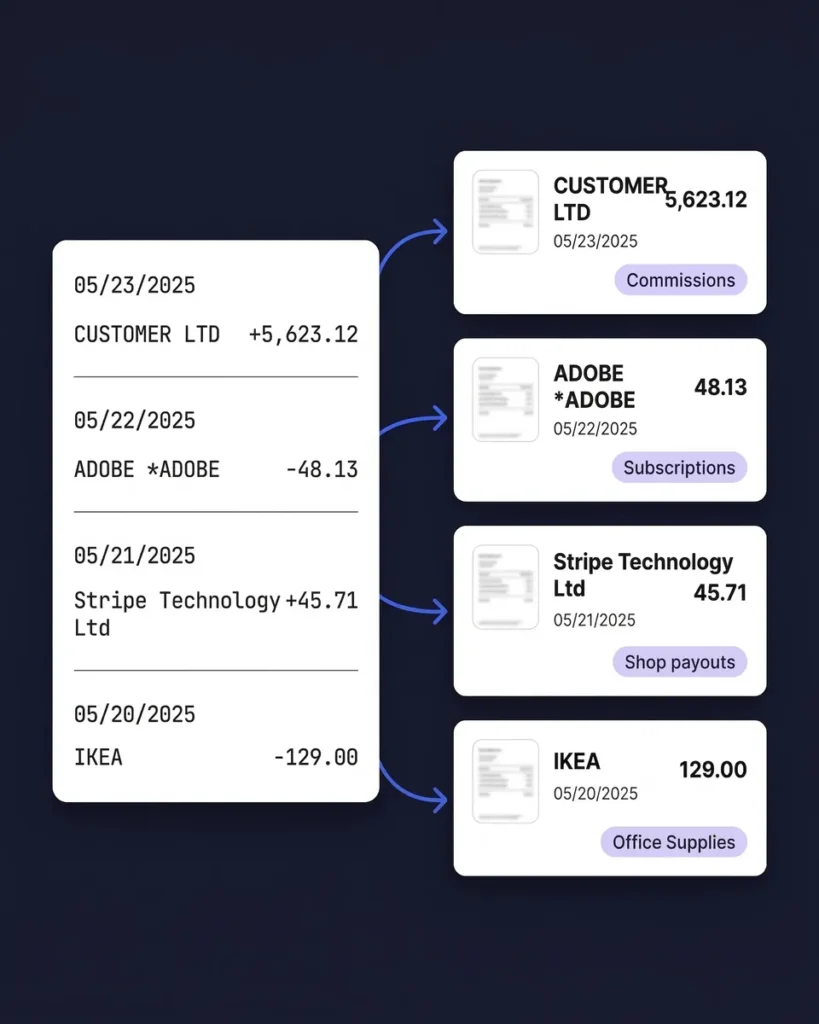
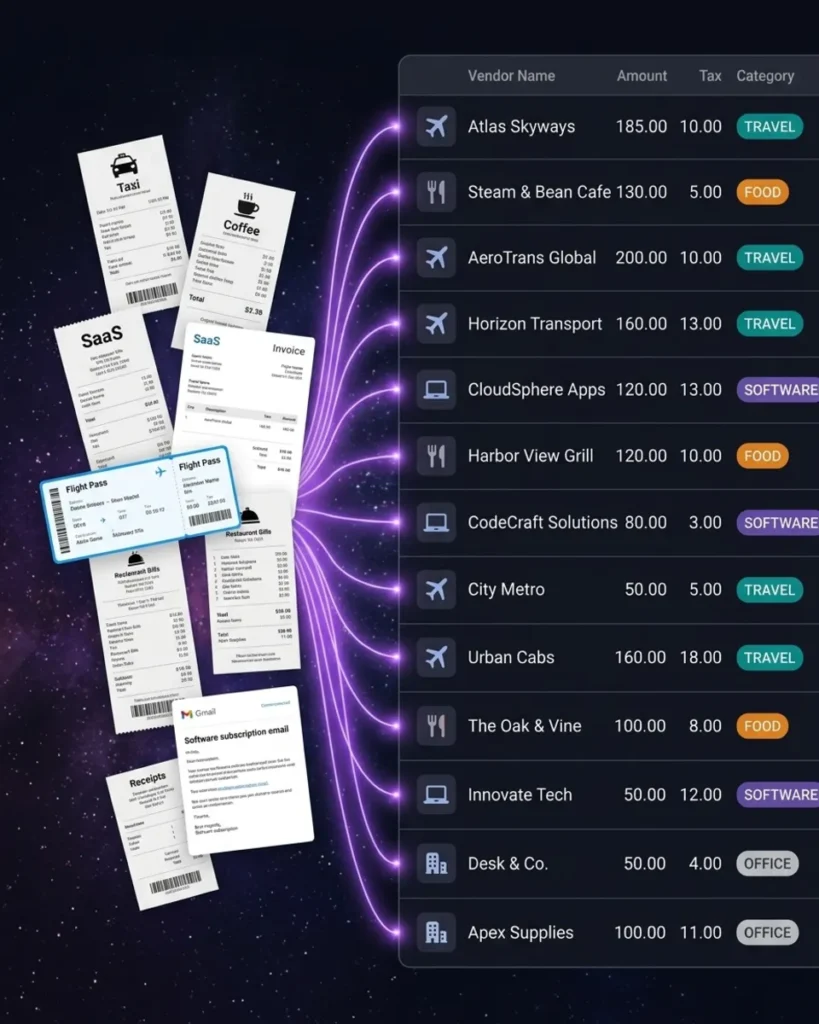
The reason SparkReceipt exports are ready to use immediately is that the AI has already done the work. Every receipt and invoice is scanned by AI, categorized automatically, and verified before it ever reaches your export file.
Vendor names are standardized (no more “AMZN*MKP” vs. “Amazon.com” inconsistencies). Tax amounts are extracted and separated. Currencies are detected and converted. Categories are assigned based on vendor, amount, and context — and they learn from your corrections over time.
Because everything is synced in real time across web and mobile, you’re always exporting the most current, accurate version of your records. No stale data, no sync delays.
Send Your Data Anywhere — Automatically
QuickBooks, Zapier, Make.com, Google Drive, and more
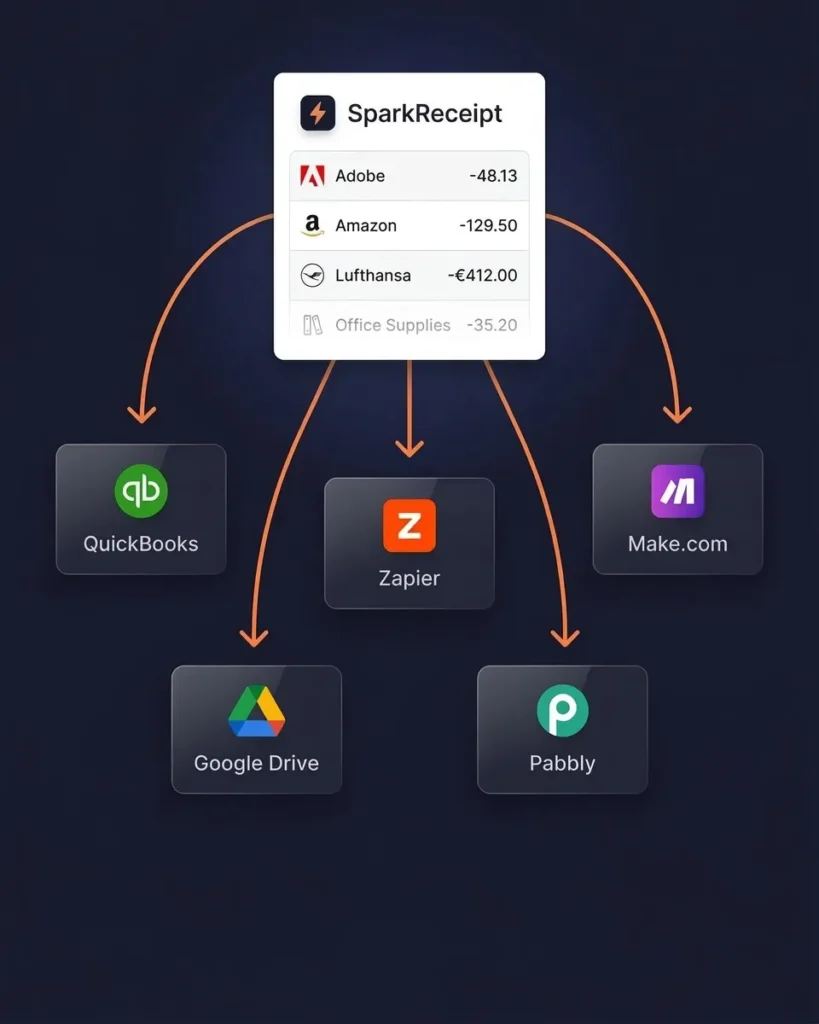
Exports don’t have to sit in a downloads folder. Sync your expense data directly to QuickBooks Online and keep your books updated without manual imports. Or use webhooks with Zapier, Make.com, or Pabbly to trigger custom workflows — push exported files to Google Drive, create bills in your accounting software, or send data to any tool in your stack.
For accountants and bookkeepers managing multiple clients, SparkReceipt includes free guest access on every plan. Your clients organize their receipts. You export the clean data. No more chasing clients for missing documents.
What Freelancers and Business Owners Say
Join thousands who stopped struggling with financial data exports
SparkReceipt is an excellent alternative to full-fledged accounting software, saving you time and money!

Excellent software to manage income and expenses, and have the relevant info at your fingertips at any given time.
I needed a solution to organize and process my personal and business receipts. I'm thrilled I found SparkReceipt. It saves me a lot of time!
Data Export FAQ
In what formats can I export my data from SparkReceipt?
SparkReceipt supports four export formats: Excel (.xlsx) with full financial details and receipt links, CSV for importing into other tools, PDF for professionally formatted visual reports with optional receipt images, and ZIP for downloading all original source documents in one archive. Every format includes vendor names, dates, amounts, tax breakdowns, currencies, and categories.
Can I choose exactly what data to include in my export?
Yes. You have full control over every export. Filter by document type (expenses, income, or both), date range, expense category, tags, currency, vendor, submitting user, or review status. Only the data that matches your filters is included in the export — no manual cleanup needed.
Do exported files include links to original receipts?
Yes. Excel and CSV exports include a direct clickable link to the original receipt or invoice image for every row. This gives you complete traceability — one click from any line item and you’re viewing the source document. PDF exports can optionally embed the receipt images directly in the report.
Can I export data for specific clients, projects, or sub-accounts?
Absolutely. SparkReceipt supports unlimited sub-accounts, so you can organize expenses by client, project, property, or business unit. Exports can be generated for any individual sub-account or for your entire account — and you can filter further by date, category, or any other criteria.
Is there a limit on how often I can export data?
No limits. Export your data as often as you need — daily, weekly, monthly, quarterly, or on demand. There are no export caps, no cooldown periods, and no extra charges for exports on any plan.
Can my accountant export data from my account?
Yes. SparkReceipt includes free guest access for your accountant or bookkeeper on every paid plan. They can log in, filter your organized expense data, and export exactly what they need for tax filing or bookkeeping — in their preferred format. No need to email spreadsheets or share login credentials. Learn more about accountant access →
Does SparkReceipt integrate with QuickBooks and other accounting tools?
Yes. SparkReceipt integrates directly with QuickBooks Online, syncing your categorized expenses and receipt images automatically. For other tools, use webhooks with Zapier, Make.com, or Pabbly to push data to Google Drive, Xero, FreshBooks, or any platform that accepts CSV or webhook triggers.
How does AI improve the quality of my exports?
SparkReceipt’s AI processes every document before it reaches your export file. Vendor names are standardized, tax amounts are extracted and separated, currencies are detected and converted, and expenses are categorized automatically. This means your exports are clean, consistent, and accurate — no manual reformatting or data cleanup required.
Can I export bank statement transactions alongside receipt data?
Yes. If you use SparkReceipt’s bank statement extractor, extracted transactions are included in your exports alongside your scanned receipts and invoices. Matched transactions link to their corresponding receipts, giving you a complete picture of expenses with both bank data and source documents in one export.
How much does SparkReceipt cost?
SparkReceipt starts from $6.58/month (billed annually) with a lifetime price lock — your rate never increases. There’s a free plan to get started with no credit card required. All paid plans include unlimited exports in all four formats, AI receipt scanning, automatic categorization, bank statement extraction, expense reports, QuickBooks integration, and free accountant access. See all plans →
Stop Fighting With Exports. Start Downloading Clean Data.
Free to start. Export-ready in 2 minutes.
Your receipts, invoices, and expenses — organized by AI, exported in any format, linked to every source document. SparkReceipt gives you the cleanest financial data exports you’ve ever had, from $6.58/month.
Join thousands of freelancers, small business owners, and accountants who stopped spending hours on manual data preparation. Lifetime price lock included. Your accountant gets free access.