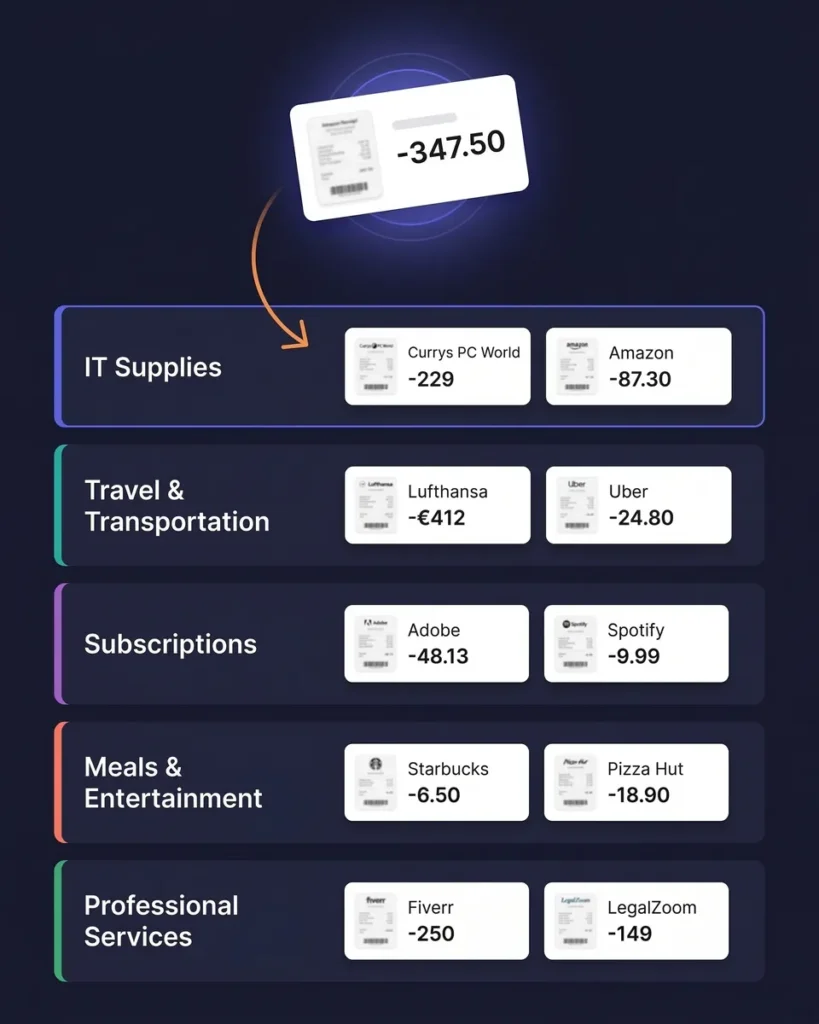
Every Receipt. Scanned, Organized, and Tax-Ready in Seconds
AI Receipt Organizer for Freelancers & Small Businesses
Stop chasing receipts. SparkReceipt's AI scans every receipt — paper, email, or PDF — extracts the vendor, amount, date, tax, and currency, and categorizes it automatically. Snap a photo, forward an email, or connect your inbox. Receipts organize themselves. Generate tax-ready expense reports in one click and share them with your accountant for free.





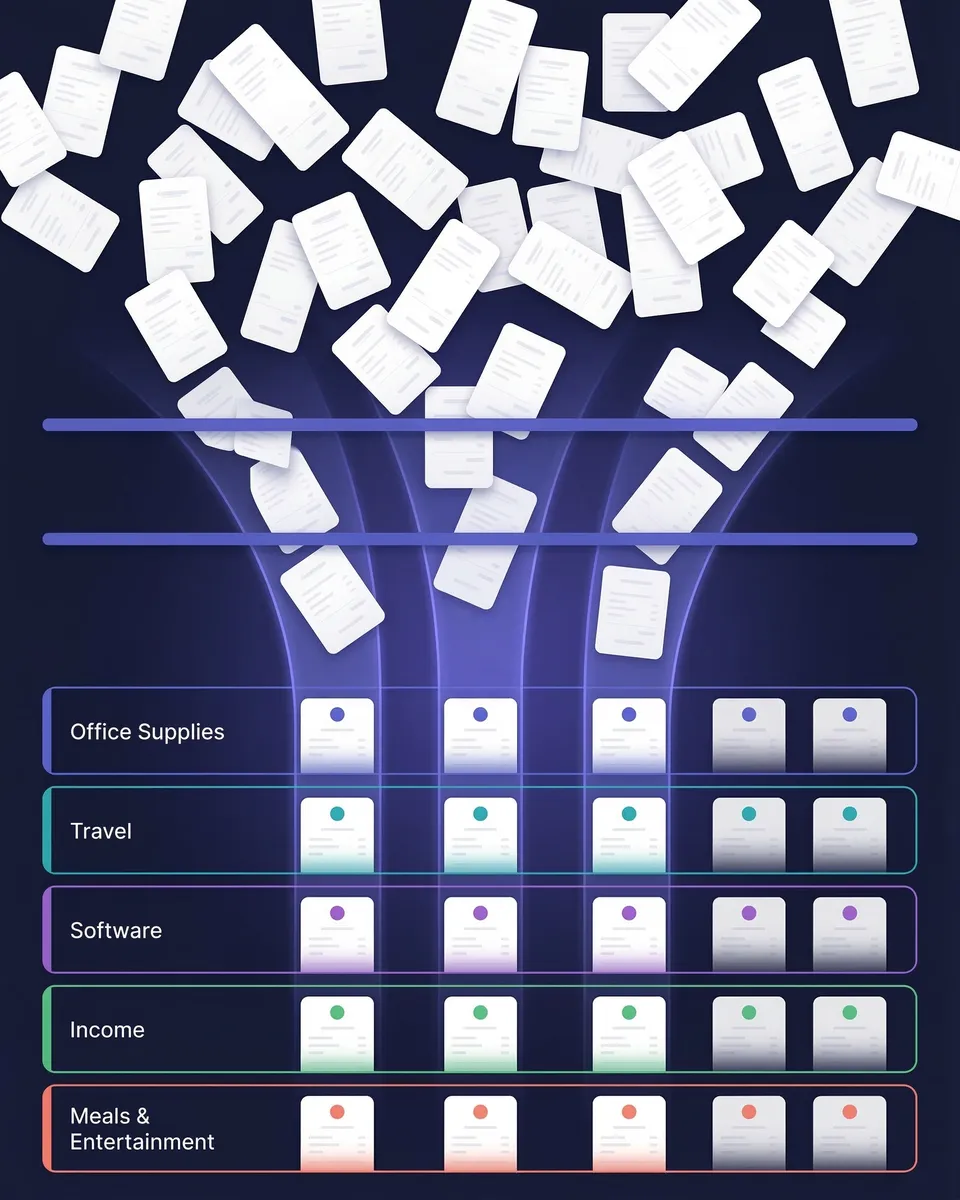
Receipt Organization Before and After SparkReceipt
See the difference AI-powered organization makes

Without SparkReceipt
- Receipts stuffed in drawers, wallets, and email inboxes
- Hours spent sorting and typing data into spreadsheets
- Faded thermal receipts that are impossible to read
- Tax deductions missed because receipts are lost or forgotten
- Accountant receives a shoebox of unsorted papers at year-end

With SparkReceipt
- Every receipt scanned, extracted, and stored in seconds
- AI categorizes each expense automatically — no typing
- Digital copies stored permanently in the cloud — nothing fades
- Every deduction captured and ready for tax season
- Accountant gets free access to clean, organized expense data
How AI Receipt Organization Works
Three ways to capture receipts. One intelligent system to organize them all.
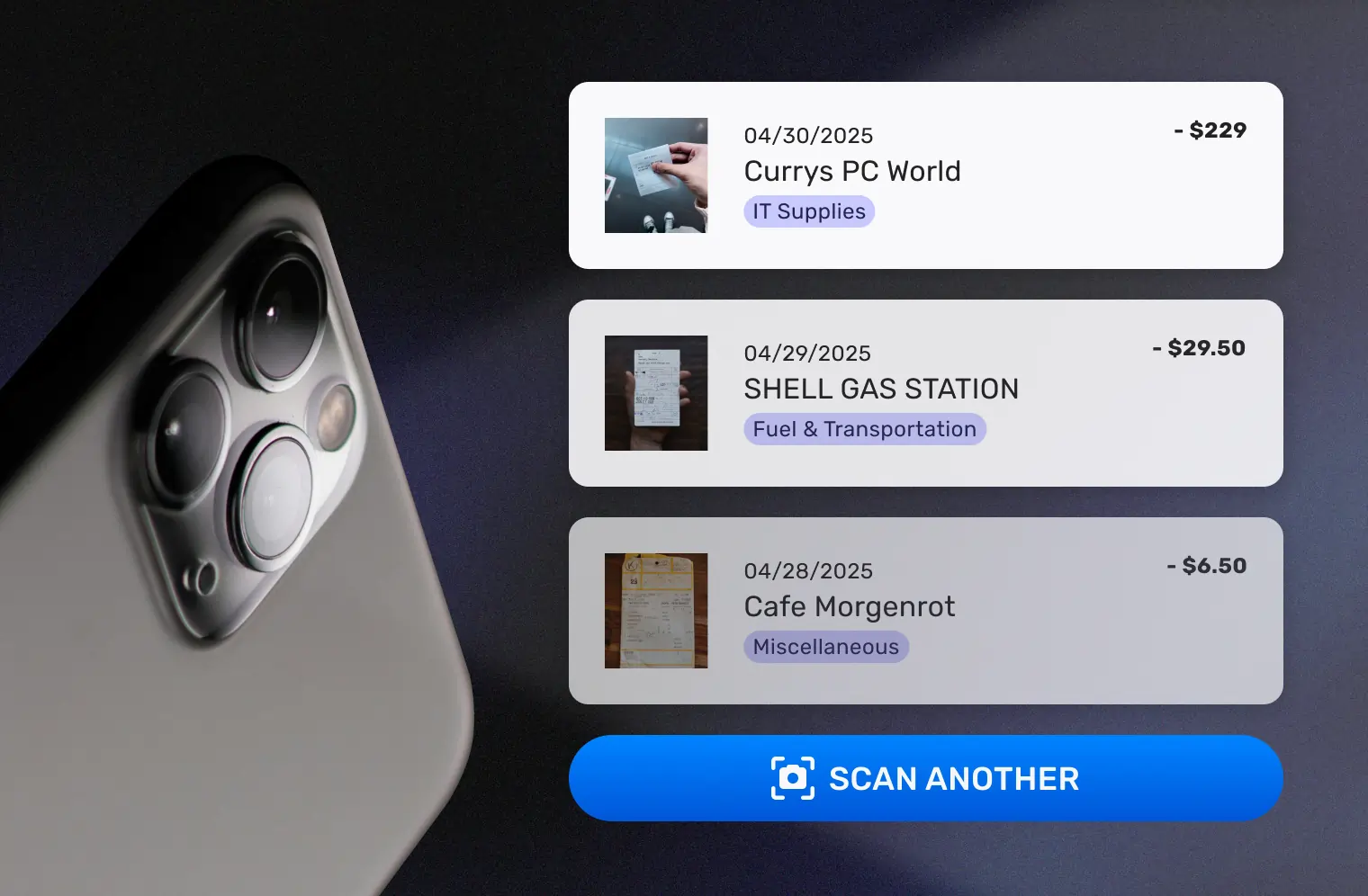
Capture Receipts Instantly
Snap a photo of any paper receipt with your phone — crumpled, faded, or handwritten. Forward email receipts to your dedicated SparkReceipt address. Or connect your Gmail or IMAP inbox and SparkReceipt finds receipts automatically as they arrive.
You can also upload bank statements — SparkReceipt’s bank statement extractor pulls every transaction and flags receipts you haven’t captured yet.
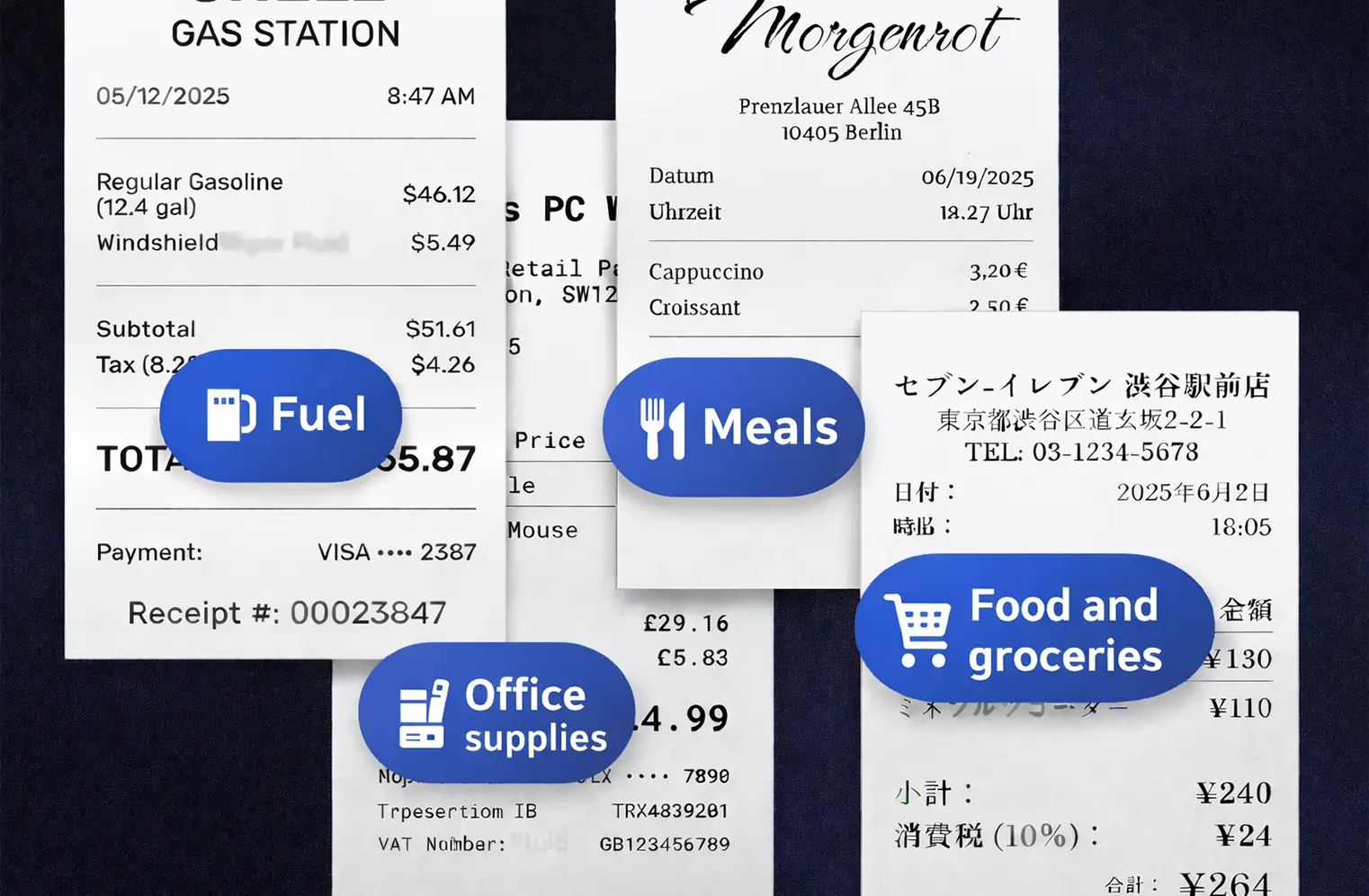
AI Sorts and Categorizes Everything
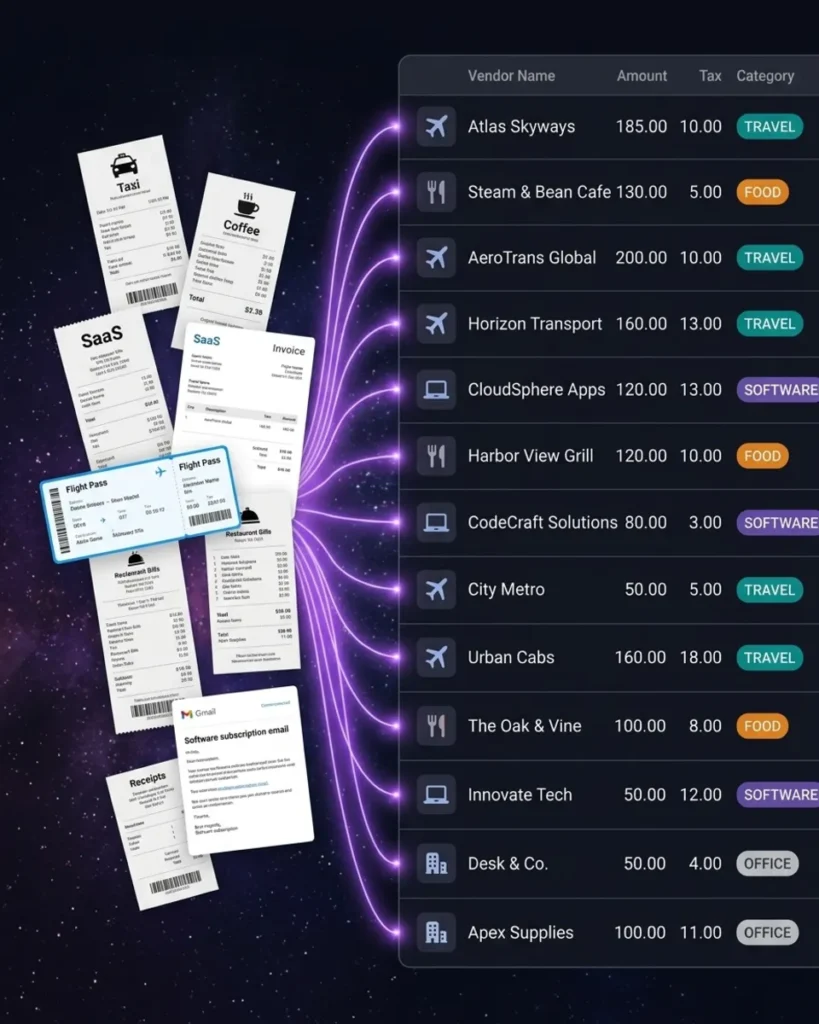
SparkReceipt’s AI receipt scanner reads every receipt and extracts the vendor name, amount, date, tax breakdown, currency, and line items. Then it assigns the right expense category automatically — office supplies, travel, meals, software, professional services, and more.
The AI handles 150+ currencies, reads receipts in almost any language, and applies local tax rules including VAT, GST, and PST. Wrong category? Tap to change it — the AI learns your preferences over time.
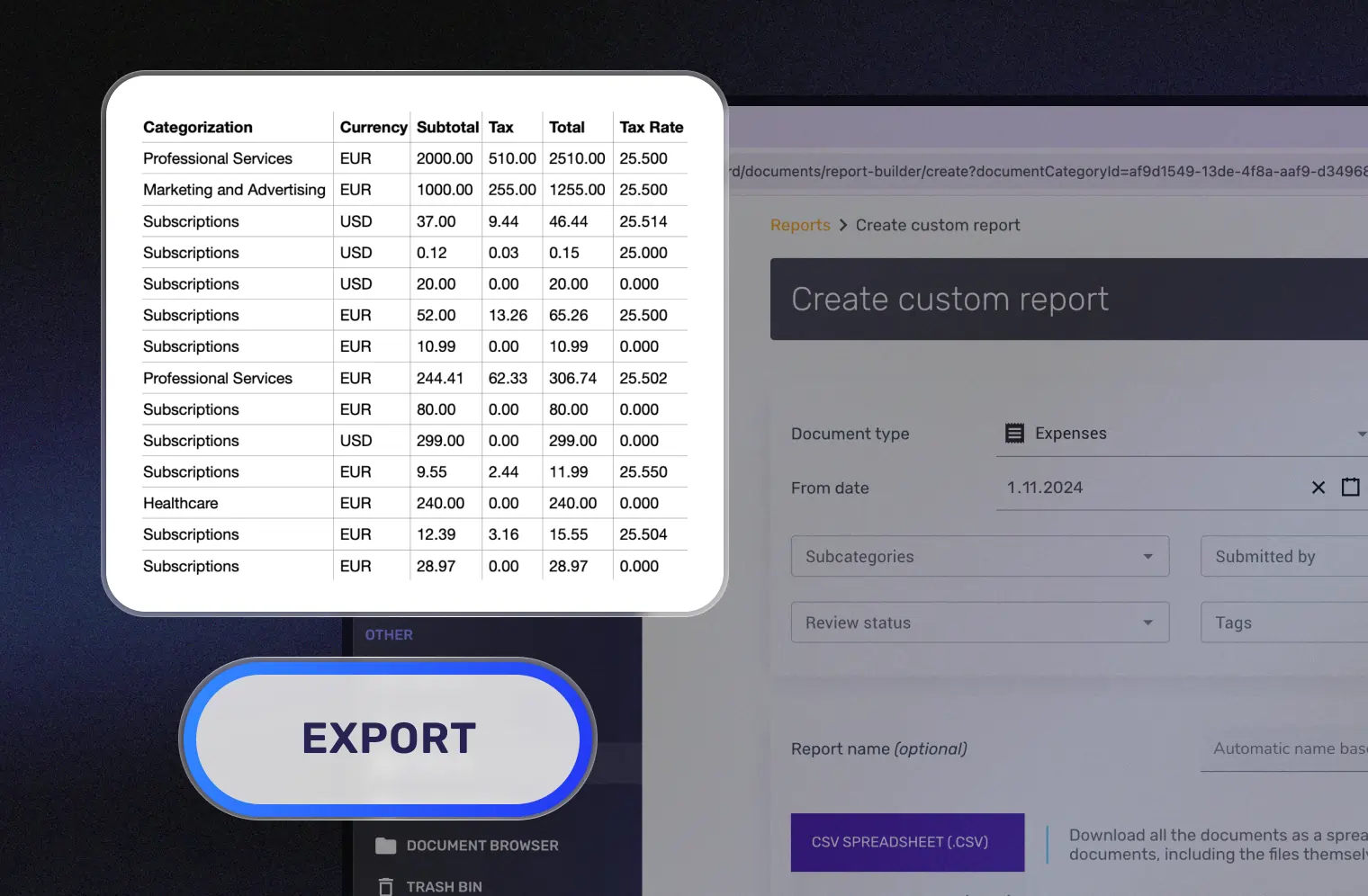
Export Reports or Share With Your Accountant
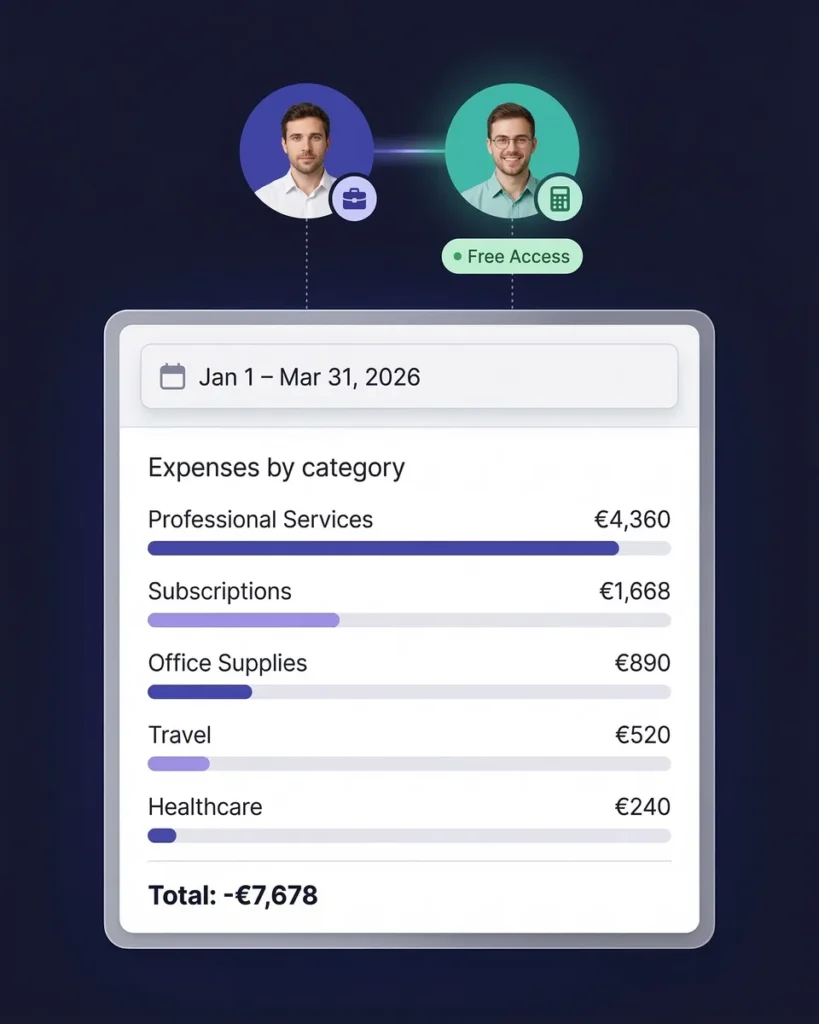
Generate a complete expense report in one click. Reports include itemized expenses, category totals, tax summaries, and links to original receipt images. Export as PDF, Excel, or CSV.
Or invite your accountant for free — they get guest access to view, download, and manage your organized receipts directly. Sync to QuickBooks Online for a seamless handoff.
AI Receipt Scanning That Handles Anything
Paper, email, PDF — every receipt organized automatically
Most receipt organizer apps require you to type in the details yourself. SparkReceipt’s AI does it for you — in seconds.
Point your camera at any receipt. The AI extracts vendor name, line items, amounts, tax breakdowns, currency, and date instantly. The OCR works in almost any language — not just the six the app is translated into. It works with crumpled receipts, faded thermal paper, handwritten notes, and even partial receipts.
Email receipts from SaaS subscriptions, online purchases, and travel bookings are captured automatically when you connect your inbox. No more searching through email at tax time.
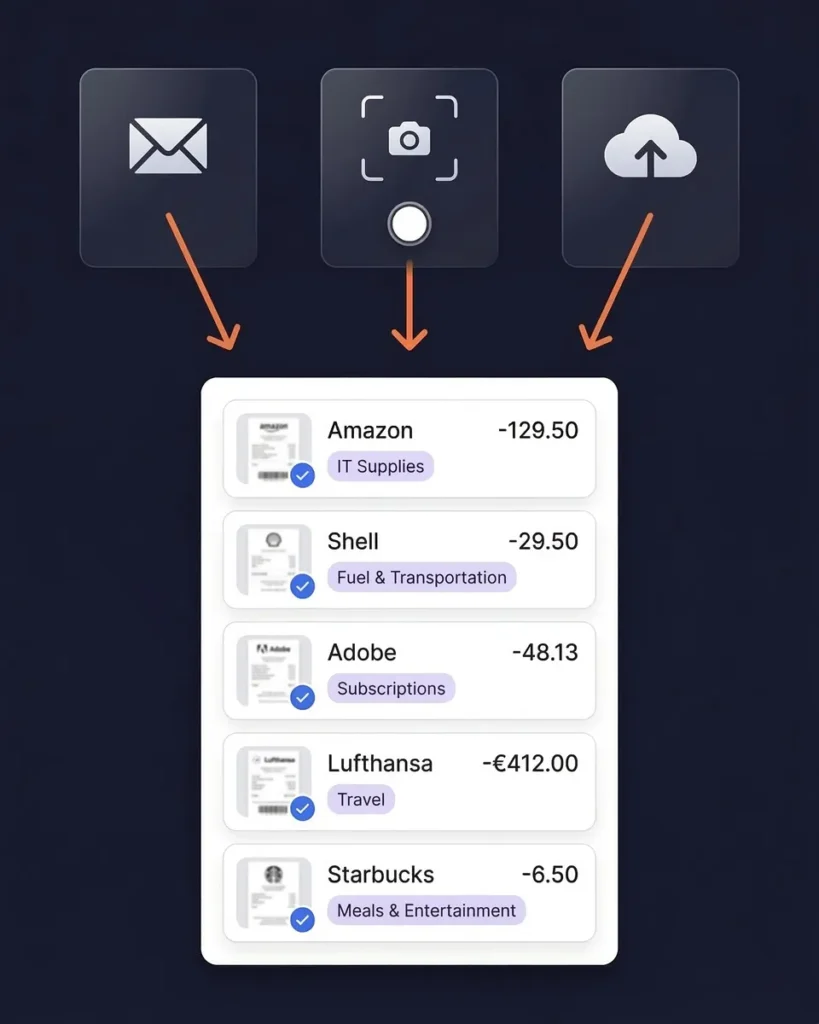
Automatic Expense Categorization
Every receipt sorted into the right category
SparkReceipt doesn’t just scan receipts — it organizes them. Every receipt is automatically categorized based on the vendor, line items, and context: office supplies, travel, meals and entertainment, software, professional services, vehicle expenses, and more.
Categories align with standard tax deduction categories, so your organized receipts are already structured for tax preparation. Create custom categories to match your accountant’s chart of accounts. The AI learns your corrections and improves over time.
No more manually tagging receipts. No more inconsistent category names. Just clean, consistent organization from day one.
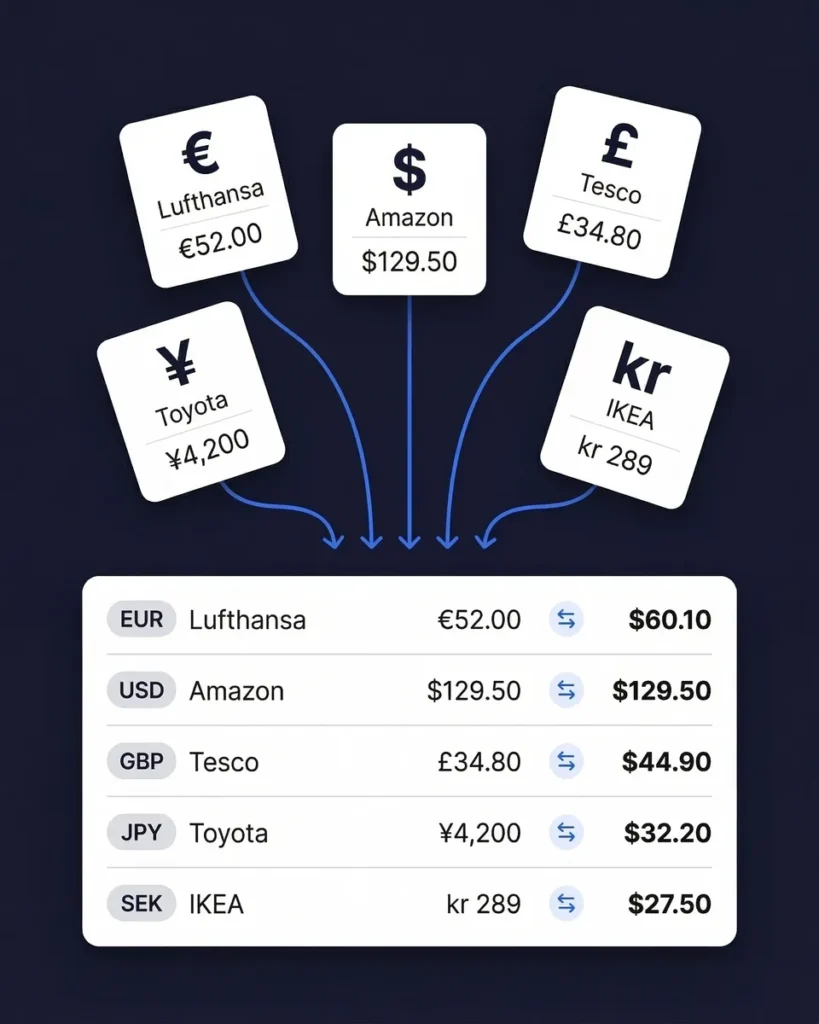
Organize Receipts in 150+ Currencies
The only receipt organizer built for global businesses
No other receipt organizer on the market supports 150+ currencies with automatic exchange rate conversion. If your business involves international travel, foreign suppliers, or services billed in other currencies, SparkReceipt handles it automatically.
The AI detects the currency on every receipt and converts amounts using the purchase-date exchange rate. Local tax rules — including VAT, GST, PST, and HST — are applied based on the receipt’s country of origin. Your organized receipts show both the original currency and the converted amount.
Whether you’re a freelancer billing clients in euros, a consultant traveling across Asia, or a small business buying inventory from overseas, every receipt is organized and converted without manual entry.
Find Receipts You Forgot to Scan
Match bank statements to receipts automatically
Even the most organized person misses a receipt now and then. SparkReceipt’s bank statement extractor catches what you missed.
Upload your bank or credit card statement (PDF, Excel, or CSV). SparkReceipt’s AI extracts every transaction and matches them to your existing scanned receipts. Unmatched transactions are flagged so you can find and scan the missing receipts before tax time.
It’s the completeness check that ensures your receipt organization covers every business expense — not just the ones you remembered to capture.

Share Organized Receipts With Your Accountant — Free
No more shoeboxes or email chains
The whole point of organizing receipts is so someone can use them — your accountant, your bookkeeper, or you at tax time. SparkReceipt makes the handoff effortless.
Invite your accountant with free guest access. They get their own login to view all your organized receipts, download receipt images, generate expense reports, and export data in PDF, Excel, CSV, or ZIP — whatever format they prefer.
No paid seat required. No subscription for your accountant. It’s the pre-accounting workflow that saves both of you hours every month.
Professional Receipt Organization From $6.58/Month
3x cheaper than Shoeboxed. 5x cheaper than Dext.
Most receipt organizer apps charge $18–$30 per month. Shoeboxed starts at $18/month. Dext starts at $30+/month. Expensify hides their pricing entirely.
SparkReceipt gives you AI receipt scanning, automatic categorization, email receipt capture, bank statement extraction, one-click expense reports, QuickBooks integration, and free accountant access — starting from $6.58/month.
Every plan includes a lifetime price lock. The price you sign up at is the price you pay forever. We never raise prices on existing customers. And there’s a 30-day money-back guarantee if you’re not satisfied.

Lock in Your Price for Life
We never raise prices for existing customers
Pro
For small businesses and freelancers
$0 / user / year · billed at $0/yr
- 50 Document Scans / mo
- 100 Consumable Credits / mo
- 20 Spark Messages / mo
- Multiple Users (pay per seat)
- Mass Upload Documents
- Unlimited Linked Sub-Accounts
- Automatic Email Receipt Fetching
- Line-item Categorization for Expenses
- AI Automations
No Credit Card Required
Elite
For growing teams and power users
$0 / user / year · billed at $0/yr
- ∞ Document Scans / mo
- 200 Consumable Credits / mo
- 100 Spark Messages / mo
- Multiple Users (pay per seat)
- Mass Upload Documents
- Unlimited Linked Sub-Accounts
- Automatic Email Receipt Fetching
- Line-item Categorization for Expenses
- AI Automations
No Credit Card Required
How Much Are Disorganized Receipts Costing You?
Most freelancers miss $2,000–$5,000 in tax deductions every year because receipts are lost or forgotten. Calculate your potential savings.
Tip: Keep this conservative. Even a small loss adds up.
What Freelancers and Business Owners Say
Join thousands who've replaced shoeboxes with AI-powered receipt organization
SparkReceipt is an excellent alternative to full-fledged accounting software, saving you time and money!

With SparkReceipt, organizing and tracking expenses has never been easier. The detailed categorization and expense tracking features make financial management a breeze. Plus, the ability to easily share receipts and collaborate with others adds an extra level of convenience.
I needed a solution to organize and process my personal and business receipts. I'm thrilled I found SparkReceipt. It saves me a lot of time!
Receipt Organizer FAQ
What is the best receipt organizer app?
For freelancers and small businesses, SparkReceipt stands out with AI-powered scanning that extracts vendor, amount, date, tax, and category in seconds. It supports 150+ currencies and almost any language, starts at $6.58/month with a lifetime price lock, and includes free accountant access. Unlike competitors that charge $18–$30/month, SparkReceipt delivers professional-grade receipt organization at a fraction of the cost.
How do I organize receipts for my small business?
The most efficient way to organize small business receipts is to go digital with a receipt organizer app. Snap photos of paper receipts, forward email receipts to a dedicated address, and let AI categorize everything automatically. Set up categories that match your business expenses (travel, supplies, meals, software) and export reports for your accountant quarterly. SparkReceipt automates this entire workflow — scan, categorize, and export in one place.
Can I organize receipts for free?
Yes. SparkReceipt offers a free plan with AI receipt scanning and no credit card required. For unlimited scanning, bank statement extraction, and QuickBooks integration, paid plans start at just $6.58/month — the lowest price among professional receipt organizer apps.
How does AI receipt organization work?
AI receipt organization uses Optical Character Recognition (OCR) and machine learning to read your receipts and extract key data — vendor name, amount, date, tax breakdown, and currency. The AI then automatically categorizes the expense based on the vendor and context. With SparkReceipt, this process takes seconds per receipt and works in almost any language across 150+ currencies.
Should I keep paper receipts or go digital?
Digital receipts are accepted by the IRS, CRA, HMRC, and most tax authorities worldwide. Going digital is safer (no fading, no loss), more organized (searchable and categorized), and saves physical storage space. Scan your paper receipts with an app like SparkReceipt, which stores them securely in the cloud with encrypted backup. Keep originals for 30 days as a safety net, then recycle them.
How long should I keep business receipts?
In most jurisdictions, you should keep business receipts for 3–7 years. The IRS recommends keeping records for 3 years from the date you file, or 7 years if you claim a loss. The CRA requires 6 years. HMRC requires 5 years after the January 31 submission deadline. A digital receipt organizer like SparkReceipt stores your receipts with unlimited retention — so you never have to worry about how long to keep them.
What is the best way to organize receipts for taxes?
The best approach is to organize receipts throughout the year, not just at tax time. Use a receipt organizer app to scan and categorize expenses as they happen. Create categories that align with tax deduction categories (home office, vehicle, travel, professional development, supplies). At tax time, generate a clean expense report sorted by category and share it with your accountant. SparkReceipt does all of this automatically.
Can a receipt organizer help me find tax deductions?
Yes. A receipt organizer with automatic categorization helps ensure every business expense is captured and properly categorized. Many freelancers miss $2,000–$5,000 in annual deductions because receipts get lost or expenses go untracked. SparkReceipt’s AI categorizes expenses automatically and generates category reports that make it easy to identify every deductible expense.
Does SparkReceipt work with international receipts?
Yes. SparkReceipt supports 150+ currencies with automatic exchange rate conversion using the purchase-date rate. The AI reads receipts in almost any language (English, French, German, Spanish, Japanese, Finnish) and applies local tax rules including GST, PST, VAT, HST, and multi-rate tax systems. This makes it ideal for freelancers and businesses that travel internationally or work with global clients.
How do I share organized receipts with my accountant?
SparkReceipt includes free guest access for your accountant or bookkeeper. Invite them to view, download, and manage your categorized expense data directly — no need to email files or share login credentials. You can also export organized receipt reports in PDF, Excel, CSV, or ZIP format, or sync directly to QuickBooks Online for a seamless handoff.
Stop Chasing Receipts. Let AI Organize Them for You.
Set up in 2 minutes. Free to start.
Every receipt you lose is a potential tax deduction you’ll never claim. SparkReceipt’s AI captures, categorizes, and organizes every receipt automatically — paper, email, or PDF. Generate tax-ready reports in one click and share them with your accountant for free.
Join thousands of freelancers and small business owners who’ve replaced shoeboxes and spreadsheets with AI-powered receipt organization. Lifetime price lock included.