
Zoho Expense Is Built for Enterprises — You Deserve Simpler
Standalone AI receipt scanning — no ecosystem lock-in, no Zoho Books required.
Zoho Expense's Standard plan starts at $4/user/month with a 3-user minimum, but requires Zoho Books ($15/month) for banking features. The real all-in cost is $19+/user/month. Only 20 autoscans per month on Free and Standard. 47 G2 mentions of "not intuitive" and "steep learning curve." SparkReceipt is $16.65/month, billed annually, with unlimited documents and no ecosystem lock-in.
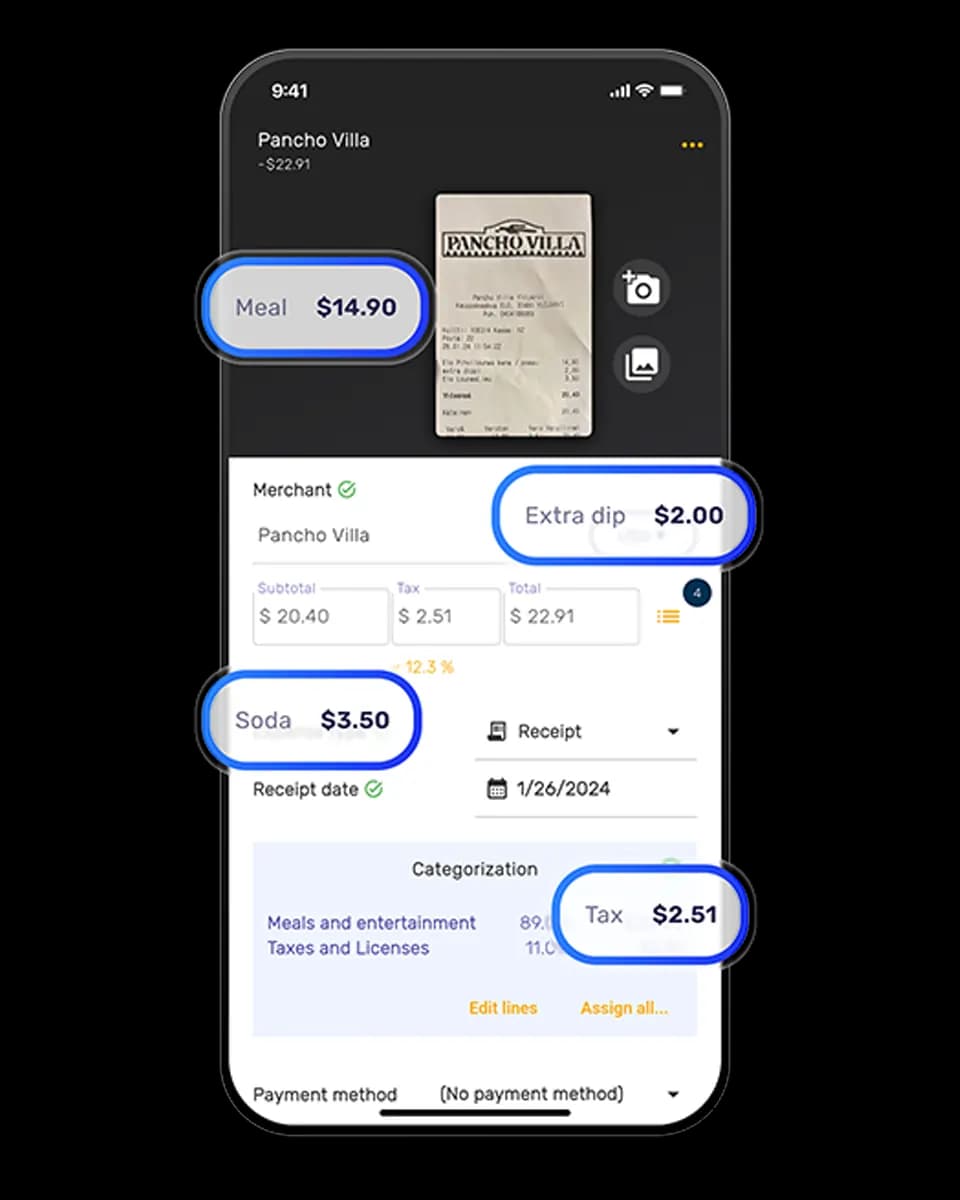
Business Owners in 80+ Countries Trust SparkReceipt


Zoho Expense vs SparkReceipt
See the real differences side by side.
| Zoho Expense | SparkReceipt | |
|---|---|---|
| Pricing | Standard plan: $4/user/month with a 3-user minimum | $16.65/month, billed annually |
| Ecosystem lock-in | Requires Zoho Books ($15/mo) for banking features | Standalone tool with no add-ons required |
| Real all-in cost | $19+/user/month | $16.65/month, billed annually |
| Autoscan limits | Only 20 autoscans/month on Free and Standard | Unlimited documents with no caps |
| Email receipts | No native Gmail/IMAP auto-fetch | Automatic email fetching from Gmail/IMAP |
| HTML email receipts | Cannot process HTML email receipts | Processes HTML, PDFs, images, forwarded emails |
| Ease of use | 47 G2 mentions of "not intuitive" and "steep learning curve" | Simple interface — as easy as posting on social media |
| Mobile scanning | Camera focus issues reported | AI handles crumpled, faded, handwritten receipts |
| Enterprise minimum | Enterprise: 500-user minimum | Reads receipts in nearly any language with 150+ currencies |
| Guarantee | No money-back guarantee | 7-day free trial included |
What Makes SparkReceipt Different?
Zoho Expense locks you into an ecosystem. SparkReceipt stands on its own — no Zoho Books, no add-ons, no hidden costs.
No ecosystem required — SparkReceipt is a standalone tool. You don't need Zoho Books, Zoho CRM, or any other product to get full functionality including bank statement extraction.
Instant AI scanning — Every receipt is processed in seconds with no monthly cap. Zoho Expense limits Free and Standard plans to just 20 autoscans per month.
True email receipt capture — SparkReceipt automatically fetches receipts from Gmail and any IMAP inbox. No manual forwarding required, and it processes HTML email receipts that Zoho Expense can't handle.
Simple pricing — $16.65/month billed annually with a 7-day free trial. No ecosystem tax, no per-user minimums, no surprise add-on costs.
Feature Comparison
| Feature | Zoho Expense | SparkReceipt |
|---|---|---|
| Receipt scanning | 20 autoscans/month on Free and Standard plans. Premium unlocks more but requires Zoho ecosystem. | Scan receipts in seconds with built-in AI — instant and automatic. Unlimited documents included. |
| Expense categorization | Rule-based categorization with manual setup. Tied to Zoho's category structure. | Lightning-fast AI categorization that gets it right the first time. |
| Line-item categorization | Limited line-item support. Requires manual configuration per expense type. | Break down every line — automatic, accurate, and included. |
| Email receipts | No native Gmail/IMAP auto-fetch. Requires manual forwarding to a Zoho email address. | Automatic email receipt fetching from Gmail and IMAP inboxes. Instant AI scanning and storage. |
| Bank statement extraction | Requires Zoho Books ($15/month) for any banking features. Not available standalone. | Upload any statement — AI extracts and matches transactions in minutes. Included at no extra cost. |
| Pricing structure | $4/user/month Standard (3-user min) + $15/mo Zoho Books for banking = $27+/mo real cost. | $16.65/month, billed annually. No add-ons, no ecosystem tax. |
| Document limits | 20 autoscans/month on Free and Standard. Higher tiers require ecosystem commitment. | Unlimited documents included. No caps, no throttling. |
| Accountant access | Accountants count as paid users in Zoho's per-seat pricing model. | Invite your accountant or bookkeeper to your account at any time. |
| Expense reports | Built for enterprise approval chains. Overkill for freelancers and small teams. | One-click reports — totals, taxes, and receipts instantly ready to export. |
| Data exports | Exports available but tightly integrated with Zoho ecosystem. | Export instantly in Excel, CSV, PDF, or ZIP with full filters and details. |
| Mobile app | Mobile app available but users report camera focus issues and scanning inconsistencies. | Full-featured mobile app with instant AI scanning and real-time sync. |
| Integrations | Deep integration within Zoho ecosystem. Limited outside it. | Direct QuickBooks sync plus Zapier, Make, and Google Drive automation. |
| Currencies and languages | Multi-currency support tied to Zoho Books configuration. | Reads almost any language, supports 150+ currencies with live exchange rates. |
| Document management | Document storage within Zoho's ecosystem. Migration is complex. | Secure 10-year storage, always accessible — no add-ons needed. |
| Income tracking | Not a focus — Zoho Expense is expense-only. Income requires Zoho Books. | Upload any income document — AI extracts and categorizes instantly. |
| Mass upload | Bulk upload available but limited by autoscan caps on lower tiers. | Upload up to 100 documents at once — AI detects and categorizes instantly. |
| AI agent | No interactive AI agent. Automation relies on Zoho's workflow builder. | Meet SparkAgent — your built-in AI that searches, summarizes, and updates. |
| Sharing receipts | Sharing limited to within Zoho ecosystem users. | Share via secure live links — no exports or downloads required. |
| Automations | Workflow automation requires Zoho Flow or Zoho ecosystem setup. | AI Automations understand natural language — set once, done forever. |
| Customer support | Enterprise-tier support model. Community forums for lower plans. | Instant in-app AI help, plus direct human support from our founder Joel. |
| Free trial | 14-day trial, but banking features require separate Zoho Books trial. | 7-day free trial — try every feature with no limits. |
| Multiple workspaces | Tied to Zoho organization structure. Separate orgs require separate subscriptions. | Unlimited separate workspaces for each business or project. |
This comparison is based on information publicly available from Zoho Expense's website and other online sources as of May 2026. Features, pricing, and details may change over time. SparkReceipt is not affiliated with or endorsed by Zoho.
Loved by Small Business Owners
“I used to send my accountant a bag of slips every month hoping they capture everything...”

Daniel Esterhuizen
Esterhuizen Consulting · South Africa
“SparkReceipt takes care of the busy work, allowing me to quickly save receipts and create expense reports.”

Tim Heller
HellerWeather · United States
“I needed a solution to organize and process my personal and business receipts. I'm thrilled I found SparkReceipt. It saves me a lot of time!”

Frédéric Thériault
Productions Locavores · Canada
Frequently Asked Questions
Zoho Expense is built for enterprises, with a steep learning curve and complex setup. Freelancers and small businesses often find it overwhelming. Plus, banking features require Zoho Books at $15/month — an extra cost just to connect your bank. SparkReceipt is designed for freelancers and small teams from day one.
Zoho Expense's Standard plan is $4/user/month with a 3-user minimum ($12/month). But to get banking features like bank statement extraction and accounting sync, you need Zoho Books at $15/month. That brings the real all-in cost to $27+/month — far more than the advertised price.
SparkReceipt offers unlimited AI-powered receipt scanning with no monthly caps. Zoho Expense limits Free and Standard plans to just 20 autoscans per month. SparkReceipt also handles crumpled, faded, and handwritten receipts in nearly any language.
Zoho Expense requires manual forwarding to a designated email address — there's no native Gmail or IMAP auto-fetch. It also cannot process HTML email receipts. SparkReceipt automatically fetches receipts from Gmail and any IMAP inbox, including HTML emails, PDFs, and forwarded messages.
For basic expense tracking, no. But for bank statement extraction, accounting sync, and banking features, you need Zoho Books at $15/month. SparkReceipt includes bank statement extraction out of the box with no add-ons required.
Yes. You can invite your accountant or bookkeeper to your SparkReceipt account at any time. In Zoho Expense, every user — including accountants — counts as a paid seat in their per-user pricing model.
Zoho Solo is a separate product at $9.99/month designed for individual freelancers. It's simpler than Zoho Expense but still part of the Zoho ecosystem. SparkReceipt offers more features — including unlimited scanning, bank statement extraction, and AI automations — without ecosystem lock-in.
Yes. SparkReceipt has no long-term contracts. You can cancel anytime. Start with a 7-day free trial to try every feature before committing.