
From Receipt to Expense Report in Seconds
AI scans your receipts, categorizes expenses, and generates professional reports — all in one click.
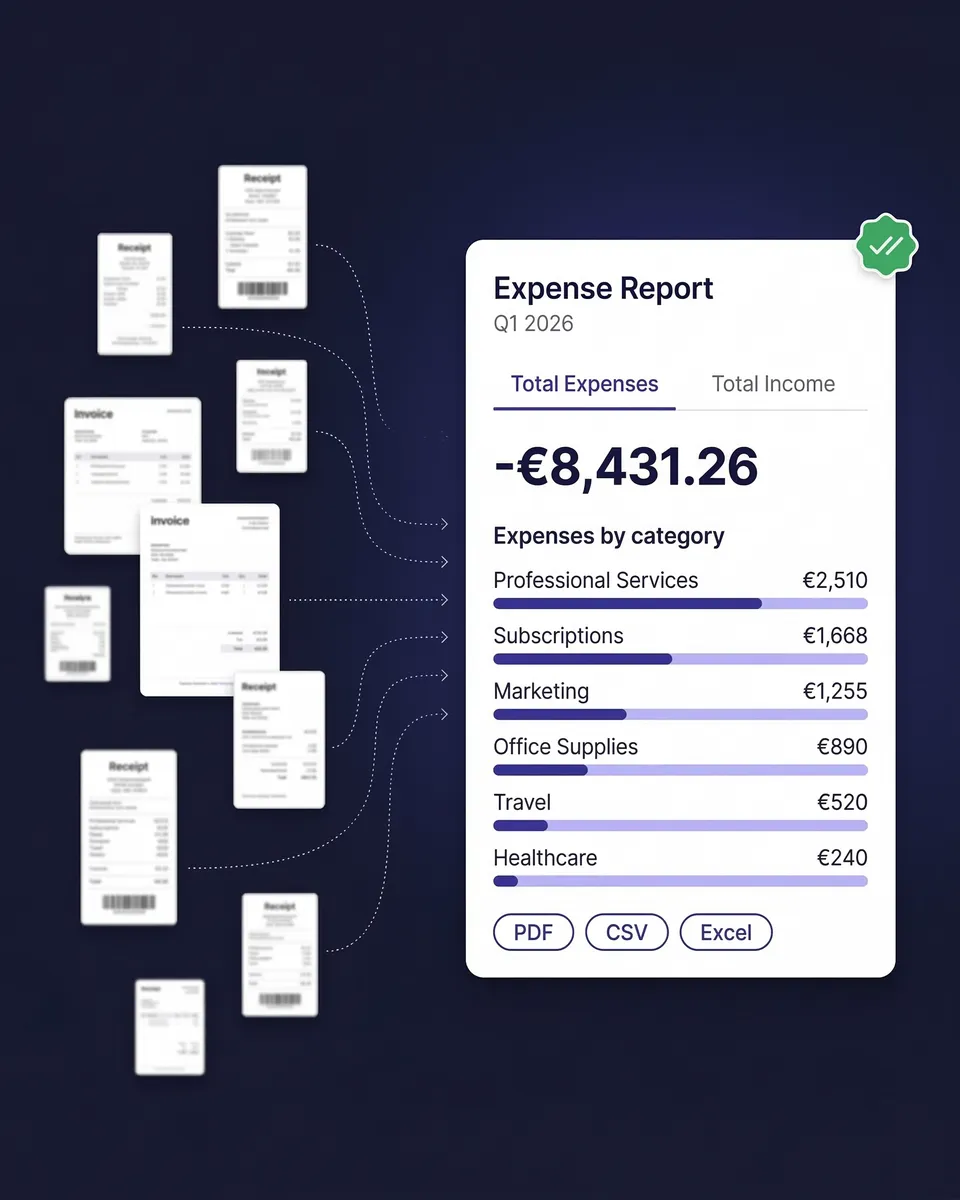
Stop building expense reports by hand. SparkReceipt's AI scans your receipts, extracts every detail, categorizes each expense, and generates clean, professional reports — all in one click. Export as PDF or Excel. Reports include category totals, tax summaries, and links to original receipt images.
Business Owners in 80+ Countries Trust SparkReceipt


Expense Reports Before and After SparkReceipt
See how AI transforms your expense reporting workflow

Before SparkReceipt
- Hours typing receipts into spreadsheets every month
- Manually calculating category totals and tax amounts
- Missing deductions because receipts got lost or faded
- Scrambling to organize documents at tax time
- Emailing messy spreadsheets to your accountant

After SparkReceipt
- AI scans every receipt and extracts vendor, amount, date, tax, and currency
- Expenses categorized automatically — office, travel, meals, software etc.
- One-click report generation in PDF or Excel, ready to share
- Every deduction captured with original receipt images attached
- Simple, transparent pricing — $16.65/month, billed annually
How AI Expense Reports Work
Scan or Forward Your Receipts
Snap a photo, upload a file, or forward email receipts. SparkReceipt's AI extracts vendor, amount, date, tax, currency, and line items — in any language and 150+ currencies.
AI Categorizes Every Expense
Each receipt is assigned to the right category automatically — office supplies, travel, meals, software, and more. The AI applies local tax rules including VAT, GST, and PST.
Generate Your Report in One Click
Select a date range and generate a complete expense report instantly. Includes itemized expenses, category totals, tax summaries, and links to receipt images. Export as PDF or Excel. Or invite your accountant or bookkeeper to your account at any time so they can download and manage everything directly.
Worldwide
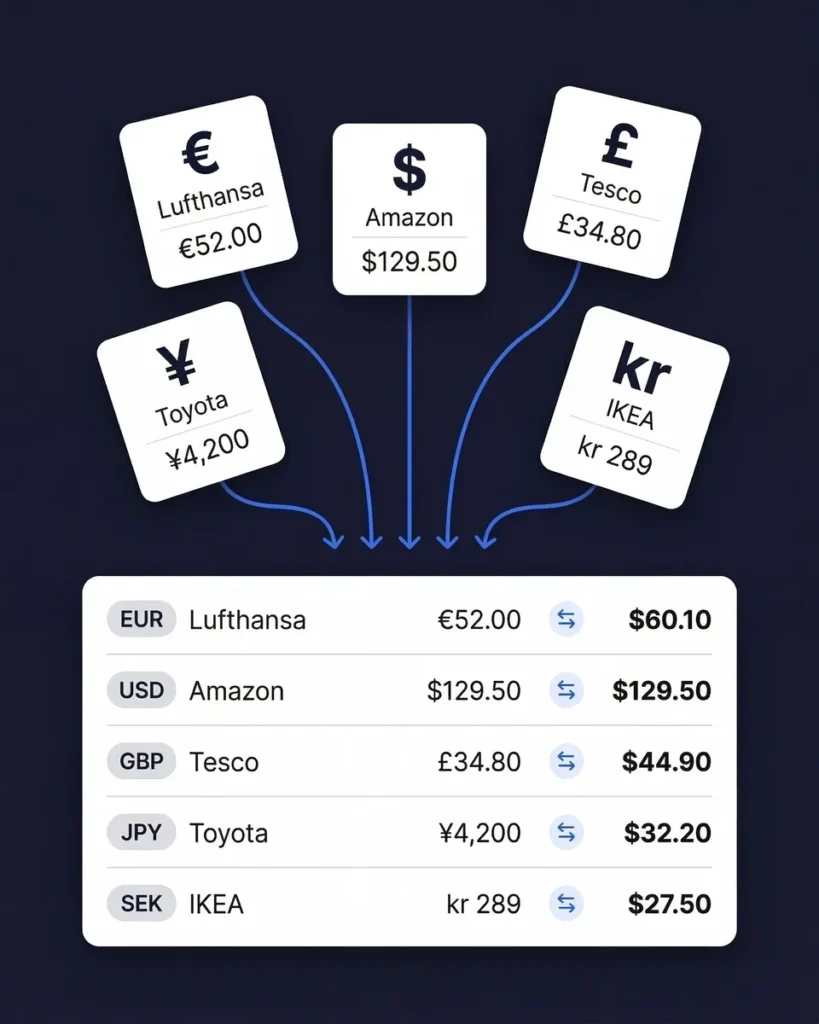
Expense reports in 150+ currencies
If your business involves international travel, foreign suppliers, or SaaS tools billed in other currencies, SparkReceipt handles it automatically.
The AI detects the currency on every receipt and converts amounts using the purchase-date exchange rate. Your report shows everything in your home currency with original amounts preserved. Local tax rules — including VAT, GST, and PST — are applied based on the receipt's country of origin.
Everything you need in an expense report
Every report includes itemized expenses with vendor name, date, amount, tax, and category. Plus category totals, tax summaries, grand totals, and links to original receipt images.
Choose monthly, quarterly, annual, or any custom date range. Export in PDF, Excel, or CSV. No formatting. No formulas. No wasted time.

Find missing receipts before you file
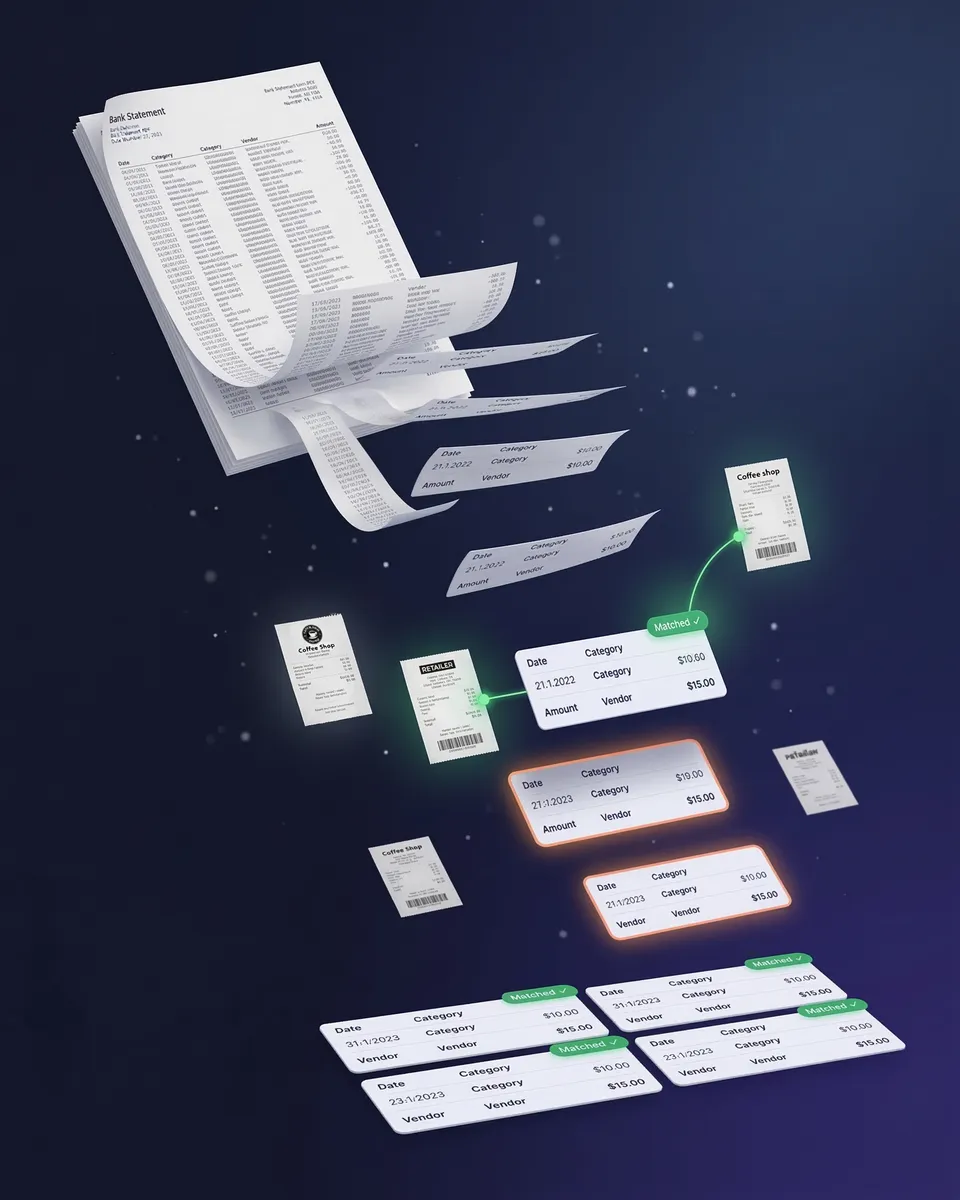
Upload your bank statement and find out if your expense report is truly complete. SparkReceipt pulls every transaction from your bank or credit card statement, matches them to your existing receipts, and flags anything missing.
Your expense report accounts for every business transaction — not just the receipts you remembered to scan. Never miss a tax deduction again.
Reports your accountant will love
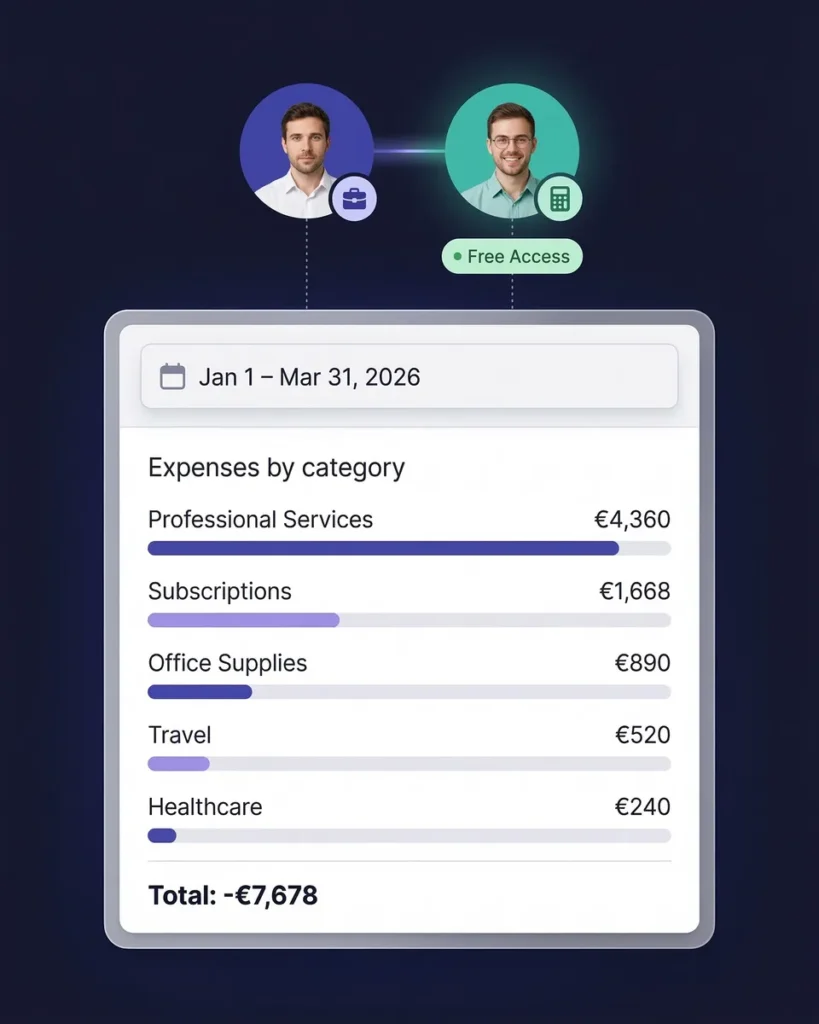
At tax time, most freelancers scramble to organize receipts and email messy spreadsheets. With SparkReceipt, your accountant gets exactly what they need — organized, categorized expense data with every receipt image attached.
Invite your accountant or bookkeeper to your account at any time. They can view reports, download receipt images, and export data in their preferred format.
Expense Reports for Small Business
One flat price. Unlimited sub-accounts. No per-user fees.
Loved by Small Business Owners
“SparkReceipt is one of the very few software purchases that exceeded my expectations. It does much more than keeps copies of your business receipts, it provides great reports, with easy edit options — it is going to save me a lot of work when I do my annual tax returns.”

Robert Connolly
The Internet Design Co. · Scotland
“I needed a solution to organize and process my personal and business receipts. I'm thrilled I found SparkReceipt. It saves me a lot of time!”

Frédéric Thériault
Productions Locavores · Canada
“I used to send my accountant a bag of slips every month. With SparkReceipt I now have a realtime view of how much the business owes me.”

Daniel Esterhuizen
Esterhuizen Consulting · South Africa
Frequently Asked Questions
An expense report is a document that records business-related spending over a specific period. It typically includes the date, vendor, category, amount, and tax for each expense. Freelancers and small businesses use expense reports for tax preparation, accountant handoffs, client billing, and financial planning. SparkReceipt generates expense reports automatically from your AI-scanned receipts — no manual data entry required.
Scan your receipts by snapping a photo, uploading a file, or forwarding email receipts. SparkReceipt's AI extracts the vendor, amount, date, tax, and category automatically. When you're ready, generate a complete expense report in PDF or Excel format with one click. Reports include totals, category breakdowns, tax summaries, and links to original receipt images.
Yes. Expense reports help freelancers track tax-deductible expenses, prepare for quarterly tax payments, and provide documentation if audited. Most freelancers miss $2,000–$5,000 in deductions per year simply because expenses are disorganized. A clean expense report ensures you claim every deduction you're entitled to.
SparkReceipt generates expense reports in PDF and Excel formats. Both formats include itemized expenses with vendor, amount, date, category, and tax details. PDF reports also include links to original receipt images for verification. You can also export raw data in CSV format for custom analysis.
Yes. SparkReceipt lets you generate expense reports for any custom date range — monthly, quarterly, annually, or any period you choose. This is especially useful for quarterly tax payments, year-end tax preparation, or project-based client billing.
SparkReceipt supports 150+ currencies with automatic exchange rate conversion using the purchase-date rate. The AI reads receipts in six languages (English, French, German, Spanish, Japanese, Finnish) and applies local tax rules including GST, PST, VAT, and multi-rate tax systems. Your expense report shows amounts in your home currency.
Yes. Invite your accountant or bookkeeper to your account at any time. They can view your categorized expenses, download reports, and access original receipt images directly. No more emailing spreadsheets or shipping shoeboxes.
Every expense report includes: itemized expenses with vendor name, date, amount, tax breakdown, and category. Reports also show category totals, tax summaries, grand totals, and links to original receipt images. You get a clean, professional document ready for your accountant, tax filing, or client billing.
Yes. Upload your bank statement (PDF, Excel, or CSV) and SparkReceipt's AI matches transactions to existing receipts, flagging any missing documentation. This ensures your expense report is complete before you hand it off to your accountant or file taxes.
SparkReceipt's Elite plan is $16.65/month, billed annually ($199.98/year), with unlimited document scanning included. Try it with a 7-day free trial.
Stop Building Expense Reports by Hand
Get StartedExplore More Features
Receipt Scanner
AI-powered receipt scanning in seconds
Expense Tracker
Track every business expense automatically
Email Receipts
Auto-import receipts from your inbox
Bank Statement Extractor
Extract and match bank transactions
Receipt Organizer
AI-powered receipt organization
Pre-Accounting
Prepare clean data for your accountant