



Business Owners in 175 Countries Trust SparkReceipt

Tracy DugganRobert ConnollyRafael RoaFrédéric ThériaultPierce Mooney
4.8on the App Store · 4.6 on Google Play · 2,700+ ratings

Never lose another receipt.
Bookkeeping is ten minutes a month.

It still won't be fun. But documents file themselves, and it mostly happens without you.

7-day free trial
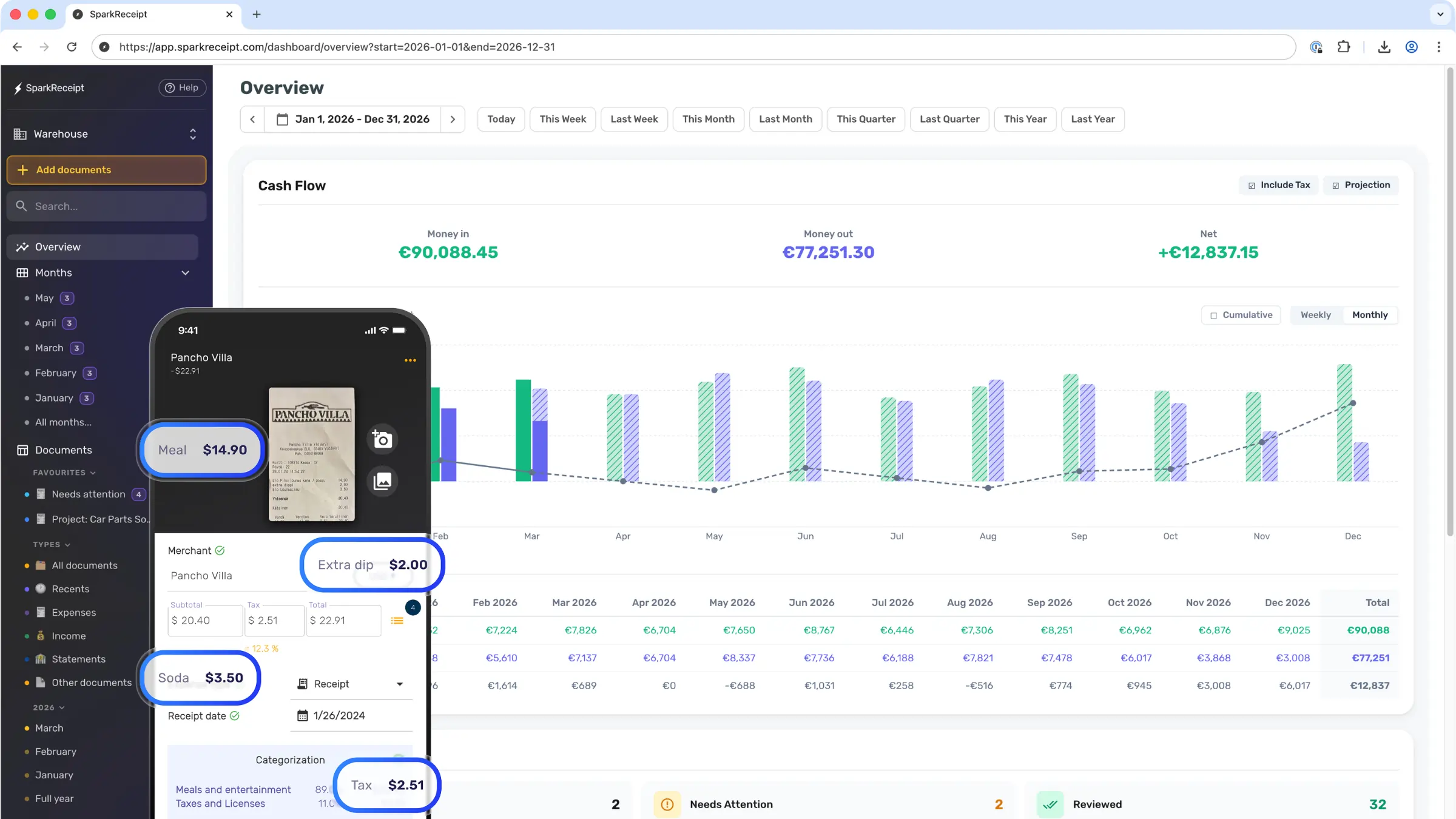
SparkReceipt expense tracker and receipt scanner
4,620,044receipts processed
38,283businesses worldwide
190currencies handled
175countries with users

Platform data, September 2026

“Thanks to you, I'm actually looking forward to my year end FOR THE FIRST TIME EVER, when I can surprise my accountant with my completed accounts with a week or so off the end of the year!”
Abigail Dombey

Abigail Dombey

Net Zero Associates Ltd · United Kingdom

“SparkReceipt is an excellent alternative to full-fledged accounting software, saving you time and money!”
Pierce Mooney

Pierce Mooney

Legal Services · United States

“The scan accuracy is the most precise out there. Just try it!”
Christina Sust

Christina Sust

INMIZE · Spain

“Excellent software to manage income and expenses, and have the relevant info at your fingertips at any given time.”
Melvin Hoods

Melvin Hoods

MJD Brokers · South Africa

“Excellent start and amazing team. Looking forward to making SparkReceipt my default expense management and accounting platform.”
Jon Aron

Jon Aron

Logic Enterprises · Switzerland

“SparkReceipt takes care of the busy work, allowing me to quickly save receipts and create expense reports.”
Tim Heller

Tim Heller

HellerWeather · United States

Join 38,283 businesses that chose SparkReceipt — 4,620,044 receipts processed and counting.

Start Free Trial

Start with the backlog

About 1 in 10 emails in your business inbox is a receipt*.

Connect Gmail, Outlook, or any IMAP mailbox, and SparkReceipt files new receipts from that day on. Pick a start date, and it goes back through your old mail and pulls out the receipts and invoices it finds. A typical sweep turns up 150+ receipts and invoices you'd otherwise dig for by hand. Most people go back one year, and some go back twenty.

*Based on SparkReceipt customer data, September 2026.

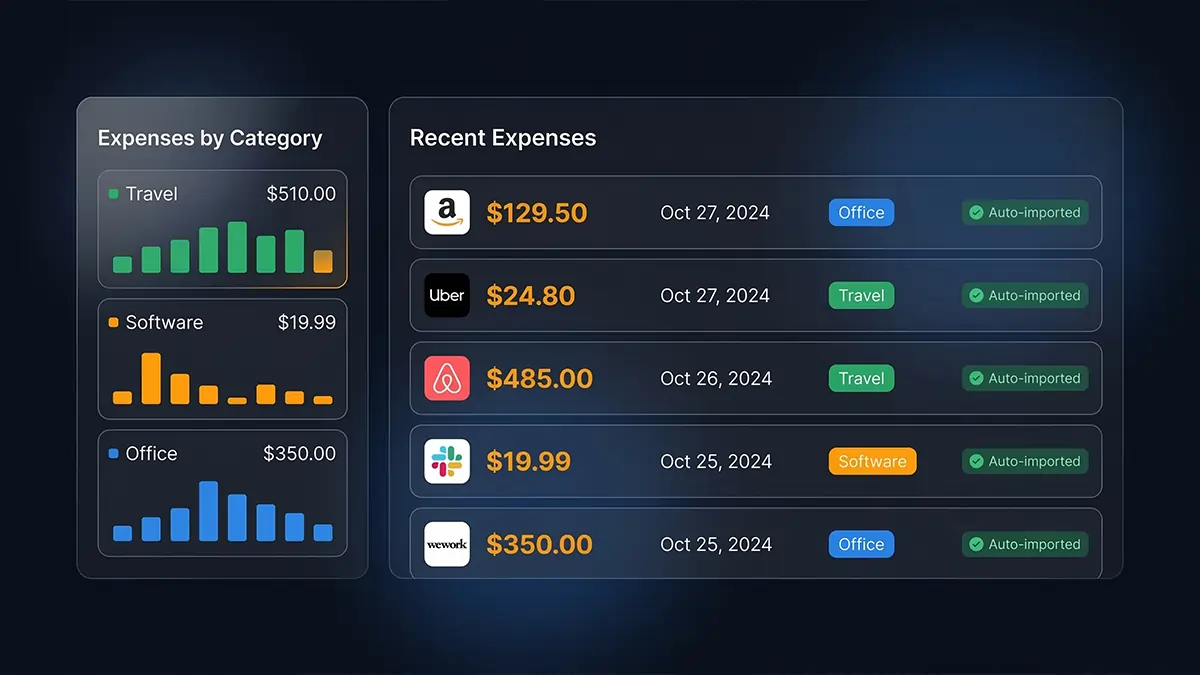
Past email receipts auto-imported into SparkReceipt by email history extraction

Where do the ten minutes go?

Set the system up once. After that the month runs on its own, and you show up at the end to confirm and publish.

Set up once, about 15 minutes

  1. 1

    Connect your inbox

    GmailOutlook

    Gmail, Outlook or any IMAP mailbox. From then on, receipts and invoices arrive on their own, read and categorized as they land.

    Email receipts →

  2. 2

    Connect your bank, or drop in a statement

    In the US, connect your bank and transactions stream in. Anywhere else, set a monthly reminder to drop in the statement as PDF, CSV or Excel.

    Bank matching →

  3. 3

    Put the app on your phone

    For the paper stuff and the miles. Snap a receipt at the counter, log a trip by GPS, and both are filed before you leave the parking lot.

    Receipt scanner →

Then, each month, about ten minutes:

Each month · Min 1–2

The statement lands. Matching starts on its own.

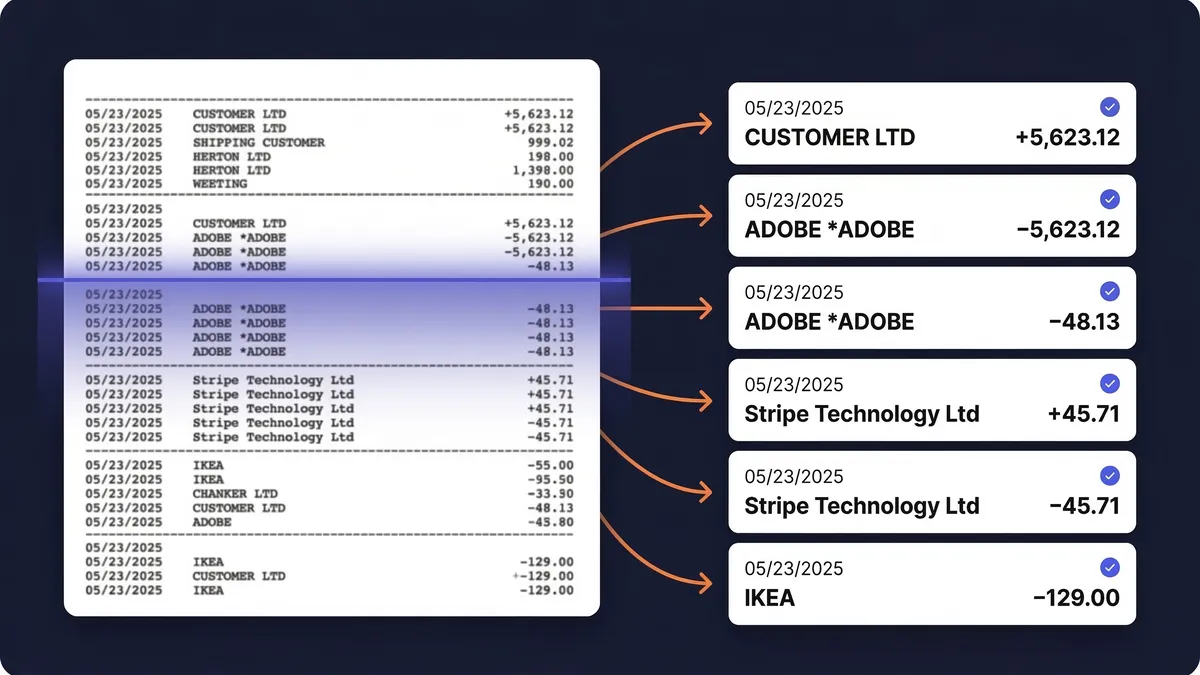
Your receipts are already in, but they don't show which bank line they paid. Therefore, you drop in the statement (or the bank feed brings it in the US), and SparkReceipt pairs each line with its receipt.

Transactions extracted from a bank statement and matched to receipts

Each month · Min 3–7

Confirm the matches until the bar hits 100%.

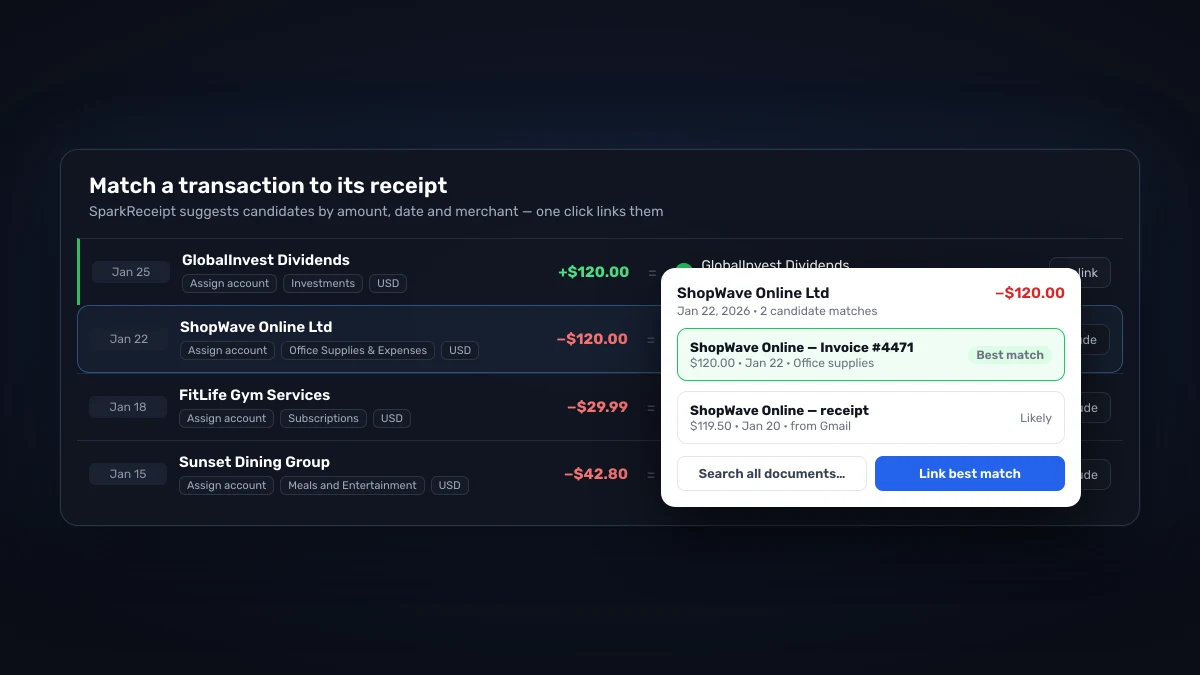
The best candidate for each line is already picked by amount, date and merchant, but only you know it's right. Therefore, you confirm the matches or ask SparkAgent to work through the list for you.

Matching a bank transaction to its receipt in SparkReceipt, with the best candidate suggested

Each month · Min 8–9

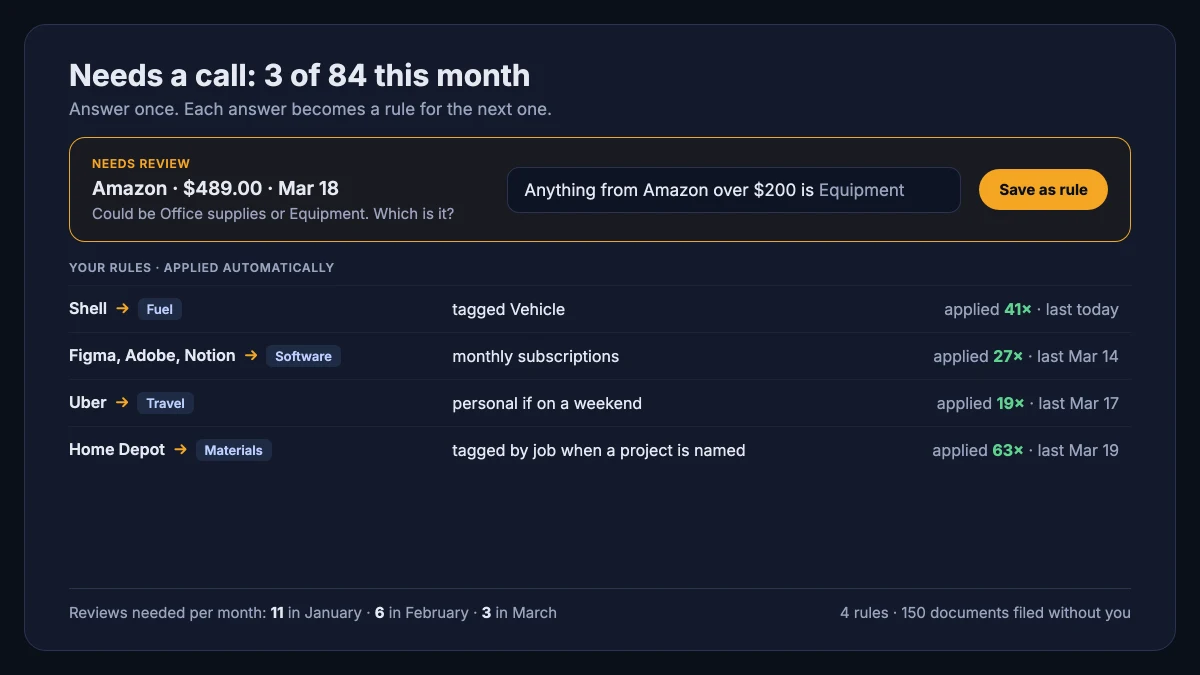
Create and update automations in plain English.

Most receipts file themselves, but a few need a call only you can make: the new supplier, the Amazon order that was equipment, the dinner that was a client meeting. Therefore, you answer once in plain English ("Shell is always Fuel", "Anything from Figma is Software"), and SparkReceipt files it that way every month after. When the answer changes, you edit the automation the same way.

SparkReceipt asking which category an Amazon receipt belongs to, with the answer saved as a plain-English rule alongside four existing rules and how often each has applied

Each month · Min 10

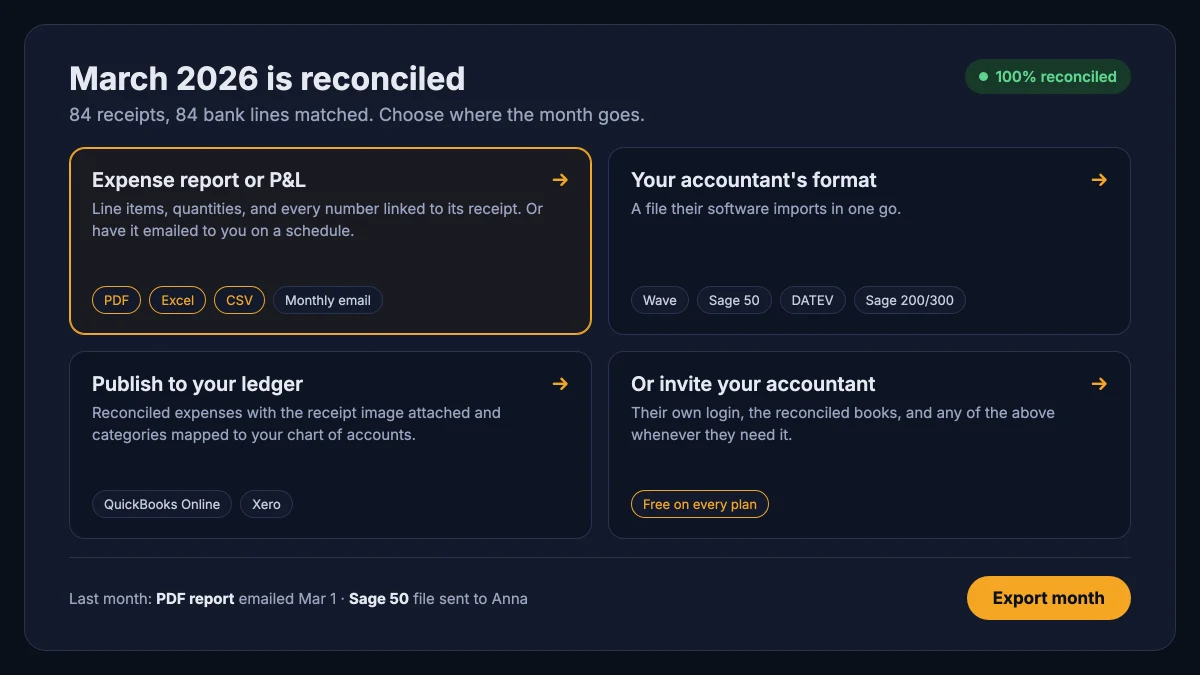
Send the month where it needs to go. Done until next month.

The month is reconciled, but your accountant or your books still need it in their format. Therefore, one click sends it where it goes: an expense report or P&L as PDF, Excel or CSV, a file for Wave, Sage 50, DATEV or Sage 200/300, or a publish into QuickBooks Online or Xero with the receipt image attached.

A reconciled month in SparkReceipt with four outputs: an expense report or P&L as PDF, Excel or CSV, an accountant's file for Wave, Sage 50, DATEV or Sage 200/300, a publish to QuickBooks Online or Xero, or inviting the accountant

And the handoff

Or skip the file: invite your accountant for free

Every output above has a shortcut. Give your accountant their own login and they see the reconciled books, pull the reports, or run the QuickBooks publish themselves. The accountant seat costs nothing on any plan, on top of your included users. More than 1,000 accountants and bookkeepers already work inside their clients' accounts (as of August 2026).

An accountant and a client reviewing the reconciled books together on a phone

60 hours a year vs. 10 minutes a month

Same receipts, same tax return. The difference is who does the reading.

Woman stressed about receipts

Receipts and bookkeeping, the old way

  • Paper receipts scattered across wallets, cars and drawers
  • Receipts lost somewhere in your email
  • Sorting the bank statement by hand, line by line
  • Hours hunting for the receipts that are still missing
Woman happy after using SparkReceipt

With SparkReceipt, you do this

  • Snap paper receipts at the counter, and AI files them
  • Connect Gmail or Outlook once, last year's receipts included
  • Connect your bank or drop in a statement to match each line
  • Confirm the matches and see exactly which receipt is missing

$1,000+ for the cleanup vs. $10.75 a month

Most people arrive from a shoebox and a spreadsheet. Here is the bill for doing it by hand, next to ours: less per month than one hour of a bookkeeper's time.

Doing it by hand

Shoebox + spreadsheet

  • 60+ hours a year

    Flattening, reading and typing each receipt into a spreadsheet, filing the paper, matching it to the bank statement, and hunting for the ones that went missing.

  • $1,000+ for the cleanup

    What a bookkeeper charges to turn a year of shoebox records into books a return can be filed from, before the return itself.

  • Deductions you can't prove

    A faded thermal receipt or a lost email is an expense you pay for twice: once at the counter, once at tax time.

Total per year

Your evenings, a cleanup bill, and the deductions you couldn't prove.

vs

Elite

Receipt scanning, bank matching and automations in one place.

$10.75/mo

$129.00/year, billed annually

+ VAT/GST where applicable

Get Started

7-day free trial

Unlimited documents*

For receipts and invoices

  • AI scanning, line items and categorization
  • Automatic receipt imports from multiple email inboxes
  • Bank statement extraction and receipt matching
  • Mileage tracking and expense reports
  • AI Fields and rules for categorizing and filing
  • QuickBooks Online, Xero and more

1 user included · Accountant access is free.

Extra users · $1.00/month each, billed $12 annually.

Unlimited linked accounts on every plan.

*Unlimited scanning is subject to fair use. Bank statement extraction and larger historical email imports use credits.

Compare all plans


Basis: about 40 receipts a month at six minutes each by hand, plus a weekend reconstructing the year before the return. Bookkeeper rates and cleanup fees from NerdWallet's 2026 bookkeeping price guide (freelance average $43 per hour; cleanup from $1,000).

Frequently Asked Questions

Yes. Your data is encrypted in transit and at rest, and your documents are stored in Stockholm, Sweden, with a backup copy in Frankfurt. We make money from subscriptions only, and we never sell or share your receipts or financial data. Documents are kept for at least 10 years, and you can export or delete everything at any time. The details are on the security page.

The AI extracts merchant names, dates, totals, taxes, currencies, and line items with high accuracy — typically processing each receipt in 2–3 seconds. It reads receipts in virtually any language and supports 190 currencies.

Yes. You can create multiple linked accounts under your main account to completely separate expenses between different businesses or personal accounts. Each paid plan includes unlimited linked accounts.

Yes. Connect Google, Microsoft, or any IMAP provider, and the app automatically fetches digital receipts from email. It processes them identically to scanned receipts — extracting data, categorizing expenses, and storing documents. It also scans your email history: pick a start date and past receipts are imported too, so a year of backlog is handled in one run.

Yes. Connect your bank or credit card for an automatic feed, or upload statements in PDF, Excel, or CSV format, and the app extracts every transaction. It matches those transactions to receipts already in the account, helping identify missing receipts and duplicates before tax time.

Probably. SparkReceipt publishes straight into QuickBooks Online, Xero, Sage Accounting, FreeAgent, FreshBooks and Zoho Books, with the receipt image attached. For Sage 50, Sage 200/300, DATEV and Wave, it exports an import file in the format they expect. Zapier, Make and Pabbly cover most other apps. Using something that isn't on the list? Tell us, since customer requests decide which integration we build next.

Yes, and your accountant joins free. Inviting an accountant never uses a paid seat. Every plan includes 1 user, and you can add teammates any time at a per-user rate. Accountants get live access to all receipts, expenses, and reports, or you can generate shareable links or export reports directly.

SparkReceipt delivers AI-powered scanning and categorization at a lower price point, starting at $5.75/month. Dext Prepare starts at about $25.21/month and requires at least 5 users (as of September 2026). SparkReceipt is purpose-built for freelancers and small businesses: no user minimum, 1 user included with more at a per-user rate, and your accountant joins free.

Yes. SparkReceipt is used in 175 countries, supports 190 currencies with automatic exchange rates, reads receipts in virtually any language, and works with any tax system worldwide.

Still have a question? Ask Joel, one of the founders

Get support directly from the founders. We're a small team that actually uses the product every day. When you write to us, you get a real answer from someone who knows the product inside out — usually within a few hours.

Joel Ojala, one of the founders of SparkReceipt

Still scrolling??

We promise bookkeeping will take you 10 minutes a month, max. Just do what we say: sign up, upload every missing document during your 7-day free trial, then keep up the routine.

Not convinced yet? Read what other business owners say.

A small business owner photographing a paper receipt with SparkReceipt on her phone at the office kitchen table
Start Free Trial