
Receipt Scanner & Expense Tracker for Restaurants
Track supplier invoices, vendor receipts, and food costs automatically — organized by vendor and category.
Restaurant owners deal with dozens of receipts every day — produce deliveries, beverage invoices, equipment repairs, POS receipts. Most end up in a drawer. SparkReceipt's AI scans every receipt in seconds and categorizes expenses by vendor and type — so you always know where your money goes.

Business Owners in 80+ Countries Trust SparkReceipt


Handwritten slips, printed invoices, emailed statements — AI handles them all
Scan Supplier Invoices and Vendor Receipts Instantly
Restaurants deal with every receipt format imaginable — handwritten delivery slips, thermal POS receipts, printed vendor invoices, and emailed statements from suppliers. Most tools choke on crumpled or faded paper. SparkReceipt's AI reads them all in seconds, extracting vendor, amount, date, tax, and line items automatically. Snap a photo in the kitchen or forward a supplier email — it's instantly digitized and stored.
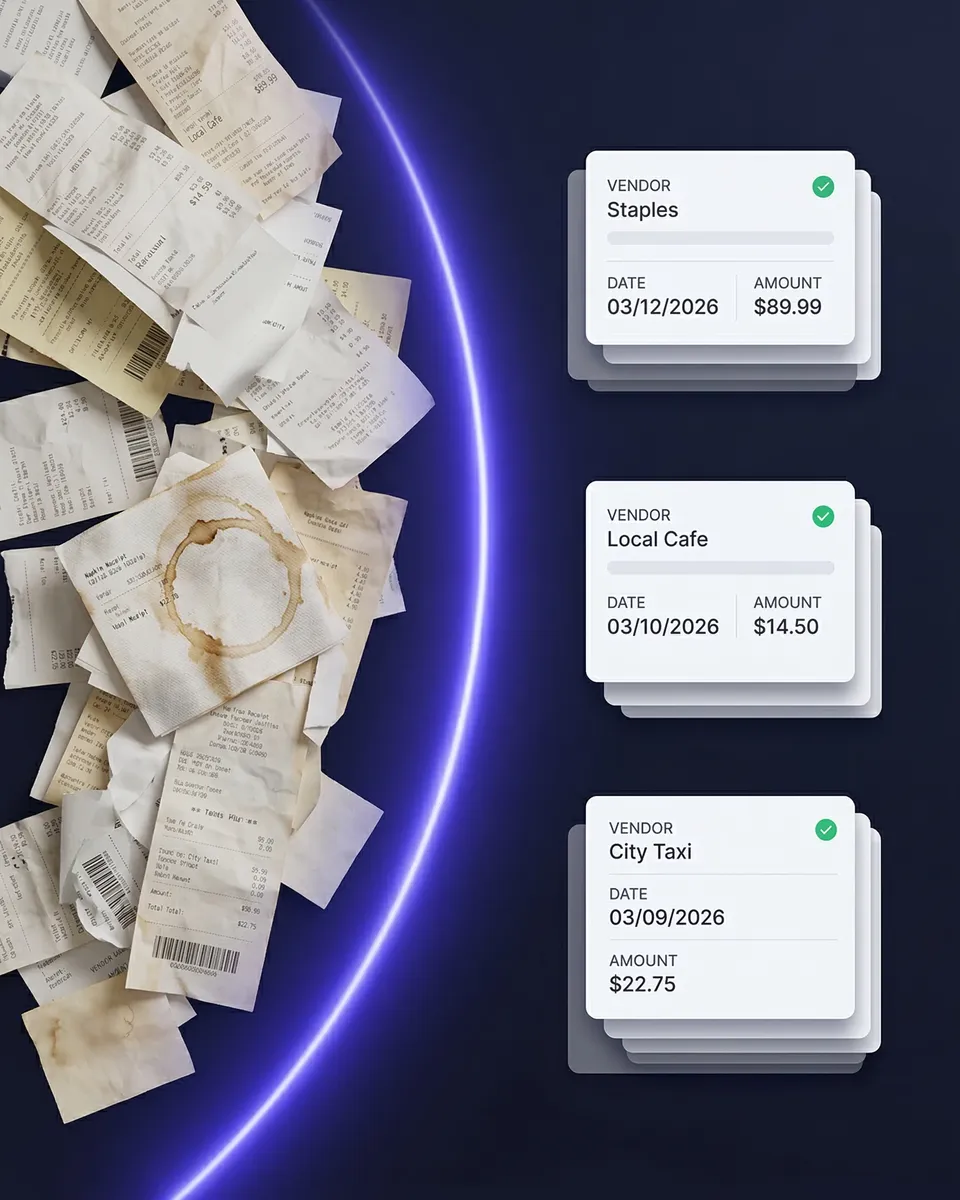
See exactly where your money goes — by category and vendor
Track Food Costs and Vendor Spending Over Time
Knowing your total spend isn't enough — you need to know how much goes to food, beverages, cleaning supplies, and equipment. SparkReceipt automatically categorizes every expense so you can see spending patterns by category and vendor over time. Spot price increases from suppliers, compare vendor costs, and keep food costs within your target range — without building spreadsheets.
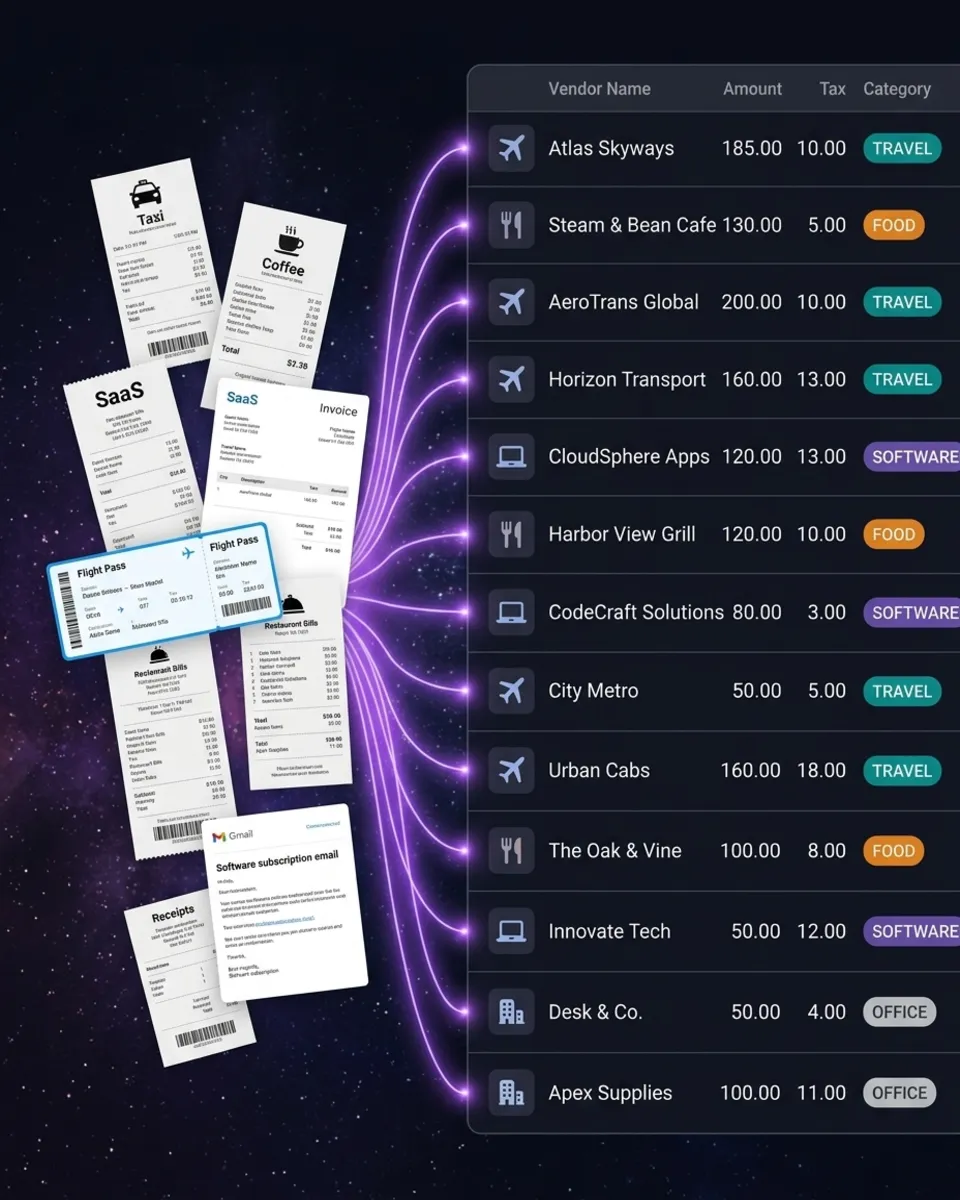
How It Works for Restaurants
Capture Supplier Receipts and Invoices
Snap a photo of any receipt or invoice — produce delivery slips, beverage invoices, equipment repair bills, POS receipts. Forward emailed statements directly. SparkReceipt's AI extracts vendor, amount, date, and category in seconds.
AI Categorizes by Type and Vendor
Every receipt is automatically sorted into restaurant-relevant categories — food, beverages, cleaning supplies, equipment, repairs, utilities. Each expense is linked to its vendor so you can track spending per supplier over time.
Generate Reports for Your Bookkeeper
One click generates a complete expense report with totals, tax breakdowns, and attached receipt images. Export to PDF, Excel, or CSV. Invite your bookkeeper directly — they see organized, categorized data ready for tax filing.
Loved by Small Business Owners
“SparkReceipt has simplified our expense tracking significantly. Everything is organized and accessible when we need it.”

Abigail Dombey
Net Zero Associates Ltd · United Kingdom
“Thanks to SparkReceipt I have a quick look to my business accounts status in a glance. It is really impressive.”

Rafael Roa
System Arquitectura · Spain
“Excellent start and amazing team. Looking forward to making SparkReceipt my default expense management and accounting platform.”

Daniel Esterhuizen
Esterhuizen Consulting · South Africa
Still Tracking Restaurant Expenses Manually?
See what changes when AI handles your food service receipts
Without SparkReceipt
- Invoices piling up in the office or kitchen
- No visibility into monthly food costs by vendor
- Hours of manual data entry for your bookkeeper
- Missed tax deductions on supplies, equipment, and repairs
- End-of-month scramble to find every receipt
With SparkReceipt
- Every receipt and invoice scanned and stored digitally in seconds
- Real-time spending visibility by category and vendor
- AI extracts vendor, amount, date, and category automatically
- Every deductible expense captured — supplies, equipment, utilities
- Invite your bookkeeper — they see organized, categorized data
Frequently Asked Questions
Yes. SparkReceipt automatically categorizes expenses into groups like food, beverages, cleaning supplies, equipment, repairs, and utilities. You can filter and report on any category at any time — so you always know exactly where your food costs stand.
Yes. SparkReceipt's AI is trained to handle handwritten, crumpled, and faded receipts. It extracts vendor, amount, date, and category even from paper delivery slips that have been through a busy kitchen.
Yes. You can invite multiple team members to your SparkReceipt account. Each manager can scan receipts from their location or shift, and everything lands in one organized, searchable account.
Yes. You can organize expenses by location using tags or separate sub-accounts. Each location's receipts are categorized independently, and you can generate reports per location or across all locations at once.
Common deductible restaurant expenses include food and beverage purchases, kitchen equipment, cleaning supplies, repairs and maintenance, utilities, employee uniforms, insurance, and marketing. SparkReceipt helps you capture and categorize all of them so nothing is missed at tax time.
Yes. You can invite your bookkeeper or accountant to your SparkReceipt account. They get full access to your organized, categorized receipts and can generate or export reports directly — no bags of receipts to sort through.
SparkReceipt costs <Price plan="elite" cadence="annual" display="annual" />/year with all features included. There are no per-user fees, no per-receipt charges, and no hidden costs. Start with a 7-day free trial.
Simple, Transparent Pricing
One flat price. No per-user fees. No hidden costs.